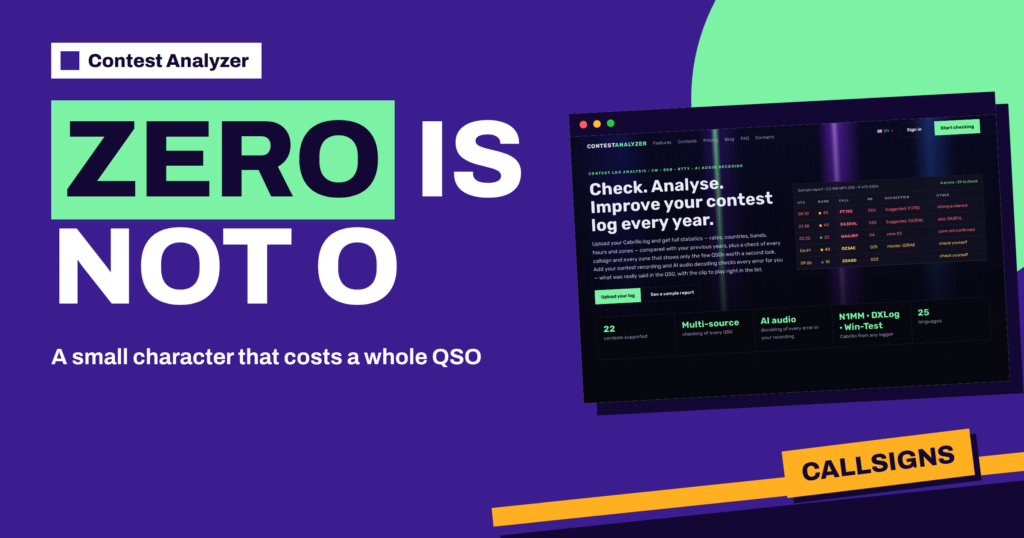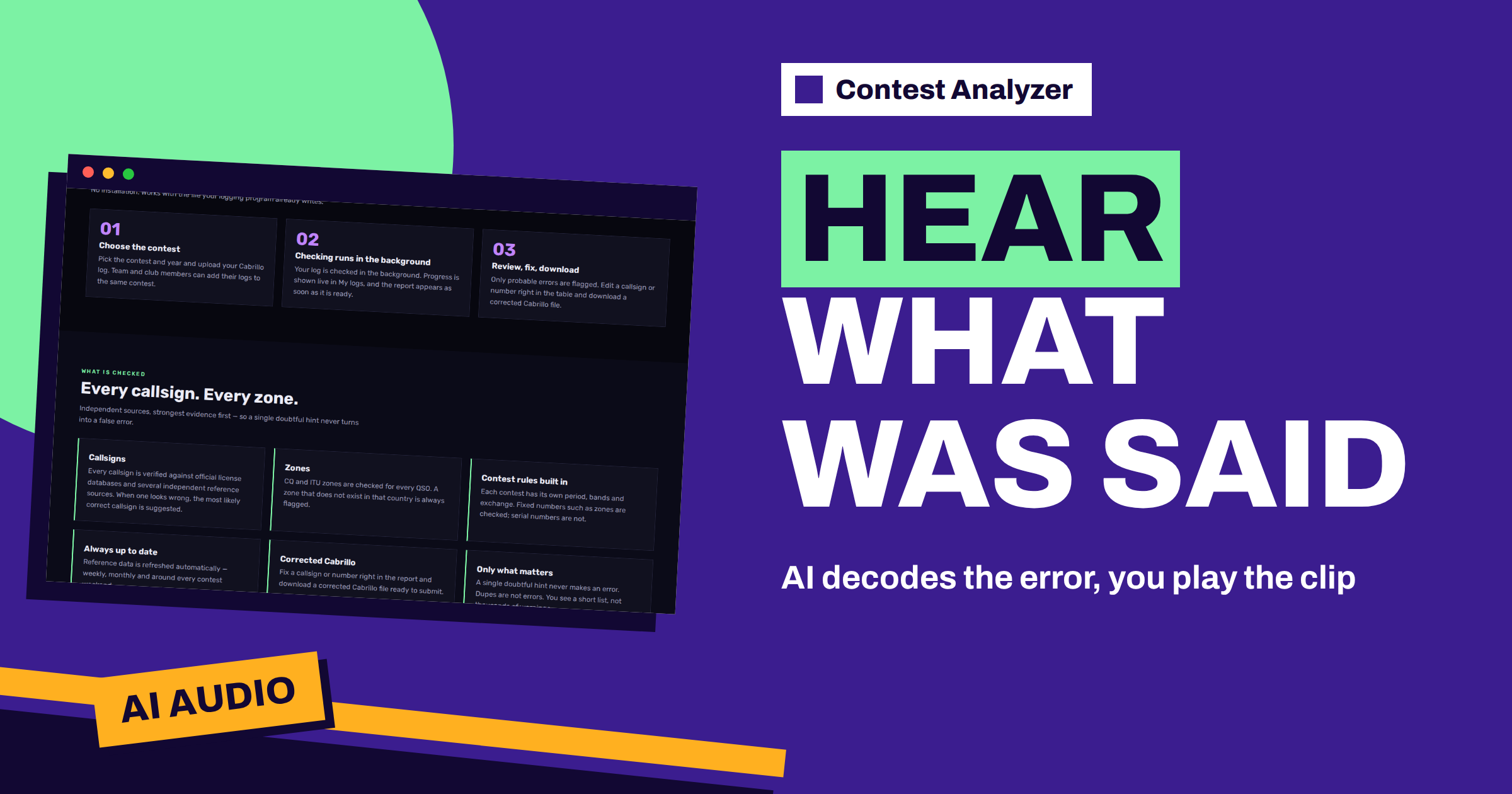
Short answer: The Contest Analyzer home page describes AI audio decoding: you add your contest recording, the service decodes every error for you, and you see what was really said in the QSO, with the clip to play right in the list. Instead of searching a long recording for one minute of a pileup, you go straight to the doubtful QSO, listen and decide. The pricing page shows audio recordings on the Professional and Ultimate plans.
The problem that audio decoding addresses
Every contester who has tried to fix a log by listening to a recording knows the work involved. You find a QSO that looks wrong, you calculate its time, you move the recording to that point, you listen to the exchange several times, and you often discover that you have landed two minutes too early or too late. Multiply this by ten or twenty doubtful QSOs and an evening is gone. Most people give up after a few, and the remaining errors stay in the log.
The idea behind audio decoding is to take that search away. The home page says that when you add your contest recording, AI audio decoding checks every error for you. It tells you what was really said in the QSO and gives you the clip to play right in the list. The work that used to be mechanical, finding the right place in the recording, is done for you, and your time goes to the part that needs a human ear: deciding what was said.
What the page promises, and what it does not
It is worth reading the wording carefully. The page says the decoding applies to the errors in your log, the QSOs that the check flagged. It does not say that the service transcribes a whole 48-hour recording for you, and it does not promise that every clip is decoded perfectly. The result is a help for your decision, not a replacement for it. The clip is there so that you can listen yourself and confirm.
That is a sensible way to use any automatic decoding. A suggested callsign is a hypothesis. A clip that you can play is evidence. Together they let you decide in seconds whether the log entry was right, whether the suggestion is right, or whether neither is. If you remember how strong a pileup can be, you will see why having the audio next to the line is valuable: your memory of a busy hour is not reliable, but the recording is.
How it fits into the report
The report that Contest Analyzer produces shows only the few QSOs that deserve a second look. The sample report on the home page lists a callsign, the number received, a suggestion and an evidence label such as strong evidence, maybe or check yourself. Audio decoding adds one more column of information to the same list: the clip. You read the line, you press play, and you hear what the other station sent.
This works well with the grading of the suggestions. A line marked strong evidence may need only a quick confirmation. A line marked check yourself is exactly where the clip is most useful, because there is no strong suggestion to rely on. You can read more about the labels in the article about suggestion levels, and about the way the table is laid out in the error check report.
Recording a contest so that it can be used
Audio decoding is only as good as the recording. A clean recording of the received audio, taken from the radio or the sound card with the correct level, is much easier to work with than a room microphone placed near a speaker. Record the whole contest rather than selected hours, because you do not know in advance which QSOs will be flagged. Keep the computer clock correct, because a log time and a recording time that disagree make every clip harder to find.
Our general guides cover the practical side: how to set up audio recording for a contest, why to record the whole contest and how to use audio to fix log errors. They describe habits that apply to any workflow. For the exact way to add a recording in the app, follow what the service shows you when you upload the log, and do not rely on a general article for that step.
A review session with audio, step by step
- Upload the Cabrillo log, choose the contest and wait for the background check to finish. Progress is shown live in My logs.
- Open the report and read the short list from the top. Note how many lines carry a clear suggestion and how many say check yourself.
- For each line, read the log entry and the suggestion first, then play the clip. Listen two or three times if the signal is weak.
- If the clip confirms the suggestion, edit the callsign or number in the table. If it confirms your log entry, leave it. If neither fits, decide what you really heard.
- When the list is done, download the corrected Cabrillo file and read the changes once before you submit it.
The session is short because the list is short. The home page says you see only the few QSOs worth a second look, not thousands of warnings, and with the clip in the list each of them takes a minute or less.
Where audio helps most
Some error types suit audio decoding better than others. A busted callsign in a pileup is the classic case: you copied a close call, and the clip shows what the other station really sent. A wrong number in the exchange, for example a zone, becomes clear when you hear it. A QSO where you suspect that the other station gave you a different report than you logged is another good use. In each case the question is a short one, and a few seconds of audio answers it.
Audio is less useful for errors that have nothing to do with what was said. A wrong band caused by a logger setting, or a time offset caused by the computer clock, will not be solved by listening. For those, the statistics and the time gaps in your log are better guides. The article about busted callsigns lists the common causes in more detail.
Why a clip beats memory
After a long contest almost nobody remembers individual QSOs. You remember the big moments, a rare multiplier or a lucky run, but not whether a call at 02:22 on the second night ended in an E or an F. Your memory also tends to favour what you logged: once a callsign is on the screen, you hear it again in your head the same way. A clip breaks that loop. The sound is the same as it was, and you listen with fresh ears.
That is also why the order matters. Read the suggestion, listen to the clip, and only then look at your own entry again. If you start from your entry, you will hear what you expect. If you start from the audio, you will often notice the difference at once, and you will trust the corrected line more when you submit it.
Using it responsibly
Correcting your own log from a recording is a normal part of preparing a submission, but the rules of each contest decide what is allowed, especially for categories that restrict outside assistance. If you are unsure, read the official rules of the contest, and do not assume that every category treats post-contest corrections in the same way. The service helps you find and fix errors; the responsibility for the submitted log stays with you.
The same applies to privacy. The FAQ states that your log and your callsign are never shown to other users, and the verified callsign rule means a log can be checked only for a callsign in your account that is verified. You can read how this works in the article on the verified callsign.
Plans and the audio allowance
The pricing page lists audio recordings, with the line listen to and decode every error, on the Professional and Ultimate plans, together with a monthly allowance of AI audio minutes. The Start plan does not list audio. Because the allowance is counted in minutes, it is worth deciding in advance which recordings you will use it for. The pricing page shows the current allowances, and our later article on plans and audio minutes goes through the choice step by step.
Related reading
- Record Audio to Check Your Contest Log
- Strong Evidence, Maybe, Check Yourself
- The Contest Analyzer Error Check Report
The bottom line
Audio decoding turns a slow search through a recording into a short review: the flagged QSO, a suggestion and a clip you can play. It does not replace your ear, and it does not change the contest rules, but it makes it practical to fix the errors that you would otherwise leave. Check the FAQ and the pricing page for the current details.
FAQ
What does AI audio decoding do in Contest Analyzer?
According to the home page, it checks every error for you using your contest recording and shows what was really said in the QSO, with the clip to play in the list.
Do I have to use audio?
No. The check, the statistics and the corrected Cabrillo file work from your log. Audio is an addition for the plans that list it.
Which plans include audio recordings?
The pricing page lists audio recordings on the Professional and Ultimate plans, each with a monthly allowance of AI audio minutes.
Can I play the clip myself?
Yes. The clip is played right in the list so that you can confirm the result yourself.
Does it replace my own judgement?
No. The decoded text and the clip help you decide, and you remain responsible for the log you submit.