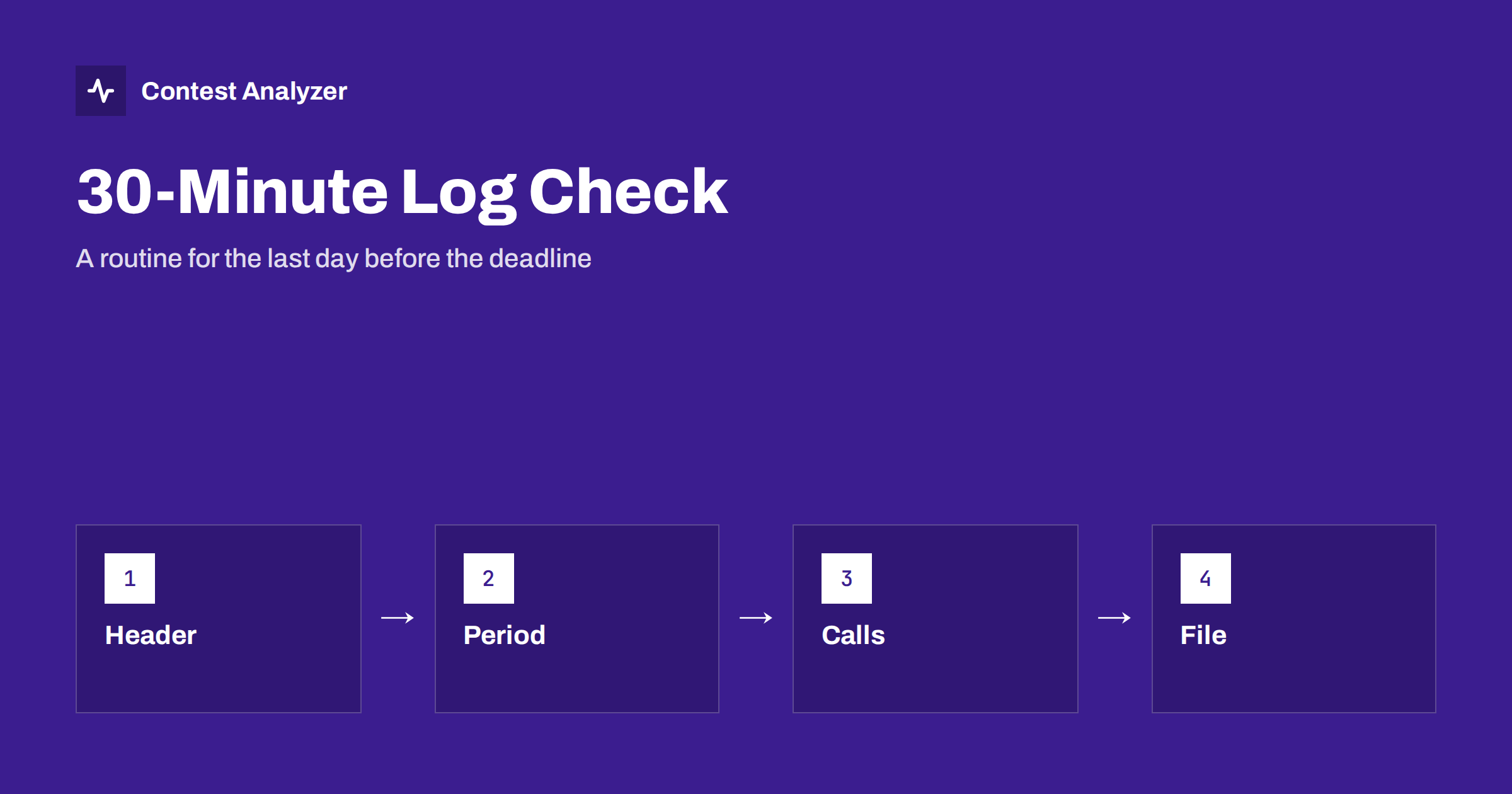
Short answer: If the deadline is close and you have only half an hour, do the checks in order of how much damage a mistake can do: the header and category first, then the contest period and bands, then the callsigns and zones that look wrong, and finally the Cabrillo file itself. Submit what you have checked and do not start new work in the last minutes. Always check the current rules for the deadline and the upload method.
Why a routine helps
Most contesters know the checks that they should do, and most of them skip some under time pressure. A fixed routine removes the decision of what to do first and keeps you from spending twenty minutes on one doubtful QSO while the header remains wrong. It also makes the process repeatable, so that each contest gets the same quality of check, whatever the time left.
This routine assumes that you have the log exported from your logger and that you have about half an hour. If you have more time, use the longer lists in checking your contest log before you submit and in the final-hour contest log checklist. If you have less, do the first two steps and submit.
Minutes 0 to 5: header and category
Open the Cabrillo file in a text editor and read the header lines. Check the contest name, the callsign, the category lines for operator, band, power, mode and assistance, the operators, the name and address, and the claimed score if the contest asks for it. The most expensive mistakes are here: a wrong category can move your log to another group or into a check log, and a wrong callsign can send it nowhere. The article on the Cabrillo log header and the one on common Cabrillo header mistakes list the fields.
Check that the category matches what you actually did. If you used spots or other help, the category should say so, according to the rules. If you changed the power or the band set during the contest, the category may have changed too. If you are not sure, read the category definitions in the current rules once more.
Minutes 5 to 10: contest period and bands
Look at the first and the last QSO in the file. Do they fall within the contest period in UTC? A QSO outside the period will not count, and some logs include a few from a test or a leftover from the day before. Then look at the band column: are all QSOs on bands that the contest allows? Frequencies that look wrong, for example a frequency that does not belong to the band in the band column, are a sign that the logger lost the radio data. The articles on QSOs outside the contest period and band edges and ITU regions explain the checks.
Contest Analyzer marks QSOs outside the contest period and outside the band limits for your ITU region, with split QSOs shown as a note, so this step can be done in a minute or two with the report. Without it, sort the file by time and scan the first and last lines, and then sort by frequency and look at the edges of each band.
Minutes 10 to 25: callsigns and zones
This is the largest block and the one where you will spend most of the time. You cannot read thousands of lines in fifteen minutes, so concentrate on the lines that are most likely to be wrong. Contest Analyzer checks every callsign and every zone against official license databases and several independent reference sources and shows only the few QSOs worth a second look. Open the report, go through those QSOs one by one and decide: correct the call or zone, mark the QSO as checked in your own audio recording, or leave it as it is.
If you do not have the report, use your own methods. Sort by callsign and look for calls that appear once and look odd. Check calls with unusual prefixes and zones that do not match the country. Look at the stations with the shortest or longest calls. The articles on partial callsign copies, zone errors in multi-zone countries and unique calls describe the typical places to look. Do not forget that dupes are not errors, as described in dupes in contest logs.
Using audio for the doubtful ones
If you recorded the contest, go to the time of each doubtful QSO and listen. A short listening of ten or twenty seconds is usually enough to settle a call. Do not try to listen to a long list, as the time will not be enough. Pick the QSOs that matter most: the ones that give a multiplier, the ones at the rare band edges and the ones that the report flagged more strongly.
In the report you can edit calls, zones, time and frequency, mark the QSO checked in your own audio recording, duplicate a QSO line when it is needed and download a corrected Cabrillo. This is quicker than editing the file by hand, and it keeps a clear record of what you changed. The tool works with Cabrillo from N1MM Logger+, DXLog and Win-Test, and it covers 22 contests, which are listed on the contests page. Serial numbers are not checked, so look at them yourself if the contest uses them.
Minutes 25 to 30: the final file
After the corrections, save the corrected Cabrillo with a new name, so that the original stays unchanged. Open the file and look at it again: the header, the first and last QSO and the number of QSO lines. Compare the count with the logger. Check that the file ends correctly with the end-of-log line, and that the name is simple, without spaces or special characters. The articles on corrected Cabrillo before submitting and Cabrillo file encoding and line endings describe what to look for.
Then submit. Use the method that the rules require, either a web upload or an email, and keep the confirmation. If the system gives you a log checking message, read it carefully, as it may point to a problem that you can still fix. The article on submitting a Cabrillo log explains the upload step, and the article on log robot error messages helps you to read the responses.
What to do if you have less time
If you have only ten minutes, do the header and the period check, then submit. A log with a clean header and a correct period but a few busted calls is better than a log that is late. If you have only five, check the header and the callsign and submit. Remember that a log that is not submitted has no score at all.
If the deadline has a late period or a grace rule, do not rely on it. Check the current rules and plan to submit before the deadline, with a margin for the internet connection and for the upload system, which may be busy in the last hours.
After you have submitted
Keep the original log, the corrected file, the audio and the notes of the changes until the results are out. If you find a mistake after submitting, check the rules about resubmitting, since many contests accept a new version before the deadline or by arrangement with the organisers. Then use the results to plan the next contest. The article on your post-contest review routine picks up where this one ends.
Preparing before the contest ends
The best way to make the last half hour easy is to do part of the work earlier. During the contest, keep the logger tidy: note a doubtful call with a short flag or a comment when you log it, so that you can find it later. Keep the audio recording running and the time in the logger synchronised. When you take a break, take two minutes to look at the log for obvious errors, such as a wrong band or a strange frequency. Each problem found during the contest is one that you will not have to find under time pressure.
After the contest, do the routine as soon as you have rested, and not at the last moment. A log checked on the second day has time for a second look on the third day, and the deadline becomes a margin instead of a pressure. Many contesters set themselves a personal deadline a day before the official one, and they report that the quality of the log improved at once. It is a simple habit that costs nothing and removes the worst kind of stress from the end of the weekend.
Keep a list of what you found in each contest. If the same kind of error appears each year, such as a wrong category line or a band that is not allowed, put a reminder in your own checklist so that it is the first thing you look at next time.
Related reading
The bottom line
Work in order of risk: header, period and bands, doubtful calls and zones, then the file. Submit before the deadline and check the current rules for the method.
FAQ
What is the most important check if time is short?
The header and category, then the contest period. Mistakes there cost the most.
Should I fix every doubtful call?
Only those that you can settle quickly. Use audio for the ones that matter most.
Can I submit and correct later?
Some contests allow a new version before the deadline. Check the current rules.
Do I have to remove dupes?
Usually not. Dupes are not errors and most rules simply do not count them again.
Why keep the original file?
So that you can go back if a correction turns out to be wrong.