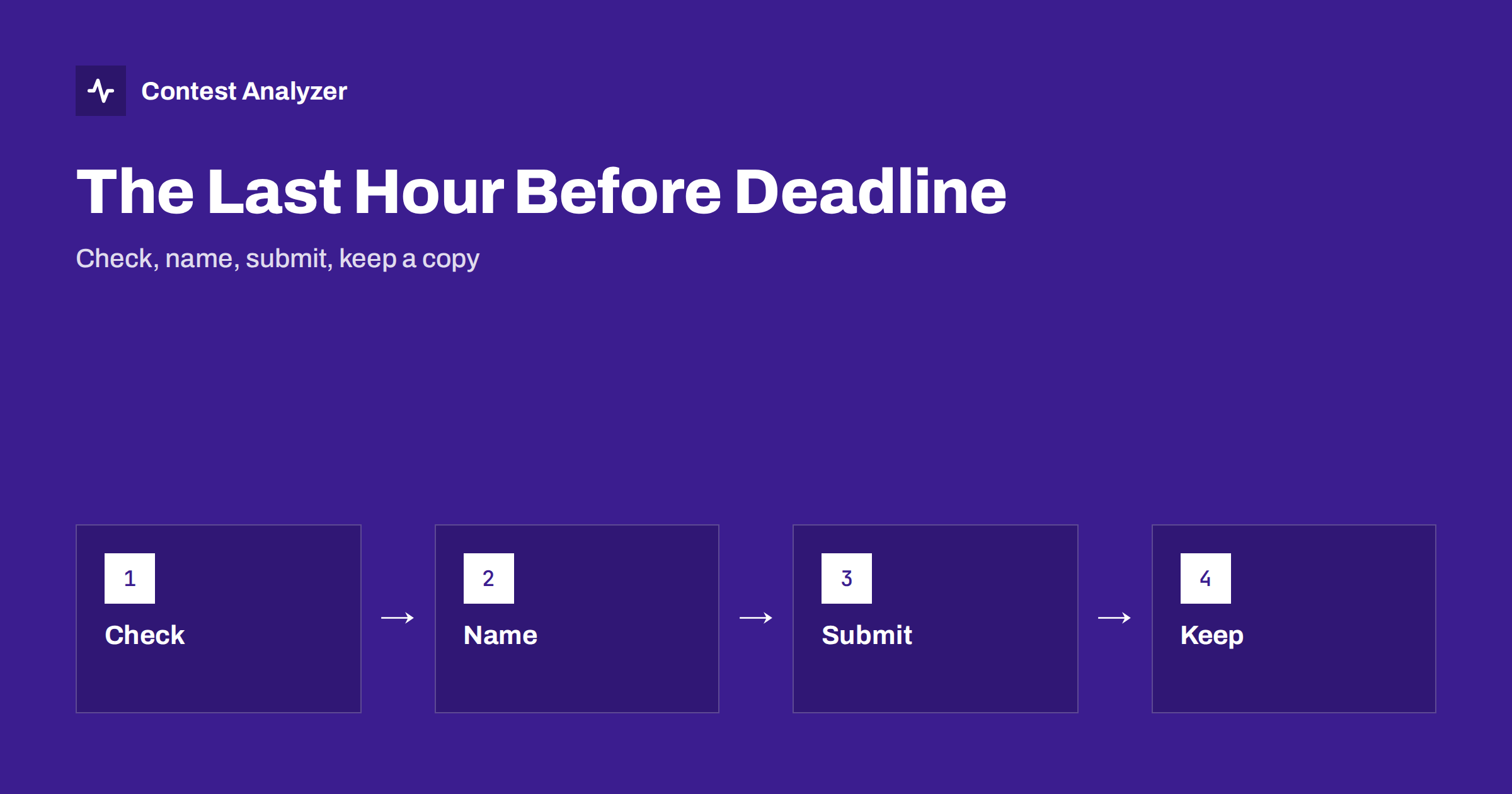
Short answer: If you are in the last hour before a log deadline, do only what protects the log: look at the header, look at the first and last QSOs, name the file clearly, submit it, wait for the confirmation and keep a copy of everything. Do not start new corrections that you cannot check. A log that is sent on time with a few small faults is better than a perfect log that arrives late.
Why the last hour needs its own plan
Most log deadlines are published in the rules of the contest, and they are strict. For CQ WW, the current rule is that logs are due 48 hours after the end of the contest, and other contests have their own periods. Always check the current rules for the exact time and the time zone of the deadline. Because the deadline is a hard limit, an hour before it is a bad time to find a new problem, and a worse time to start a large repair. The best preparation is to have a short list of actions that you can do calmly and in order.
The article on log deadlines explains why they differ between contests and how to plan ahead, and the routine for the days before is in checking a contest log before you submit it. This article is about the last hour only, for the case in which you are late with the work.
Minute 0 to 10: decide what you can still do
Look at the time. If you have one hour, decide at once which of the possible jobs you will do, and which you will leave. A useful order of priorities is: first, a valid log file that can be sent; second, a correct header; third, obvious errors in the QSOs; fourth, finer corrections. If you do not have the time for the fourth, do not start it. A log with some small busted calls is a normal log, and the committee will deal with them.
Write the deadline on a piece of paper, with the time zone, and the time at which you will start to submit. A good rule is to start the submission at least fifteen minutes before the deadline, since the upload may take time, the website may be slow, or you may be asked to correct something and send it again.
Minute 10 to 25: the header
Export the Cabrillo file from the logger and open it in a plain text editor. Read the header line by line. Check the callsign, the contest name, the category lines, the operator list, the club if any, the contact information and the claimed score. A wrong category is a common mistake in a rush, and a wrong contest name can mean that the log is not accepted. The article on the Cabrillo header explains each field. If you see a field that is empty or wrong, correct it in the logger and export again, and do not edit the file by hand unless you know exactly what you change.
Minute 25 to 35: both ends and the middle of the QSO list
Scroll to the first lines of the QSO list and then to the last lines. The first QSO should be at or after the start of the contest, and the last at or before the end. Look at a few lines in the middle, to check that the columns are in order: frequency, mode, date, time, your callsign, the exchange you sent, the callsign you worked and the exchange received. If the logger has produced an unusual format, the article on the Cabrillo QSO line format shows what a normal line looks like.
Then check the file itself: its size, its extension and its encoding. A file that is empty, that contains strange characters or that has the wrong line endings can be rejected by the system that receives it. The article on Cabrillo file problems explains these problems and how to avoid them.
Minute 35 to 45: the obvious errors
If you still have time, look for obvious errors. Contest Analyzer can help here in a short time. It checks every callsign and every zone against official license databases and several independent reference sources and shows only the few QSOs worth a second look, so you do not have to read the whole log. You can edit calls or zones in the report and download a corrected Cabrillo, then check its header again. It works with Cabrillo from N1MM Logger+, DXLog and Win-Test and supports 22 contests, as shown on the contests page. Serial numbers are not checked, and dupes are not errors. Correct only what you are sure of, and ignore the rest.
Do not start a long listening session or a full statistical analysis now. The statistics are valuable, and you can study them after the log is sent: rates, QSOs by hour and band, countries, continents, zones, distance, breaks and off time, and a comparison with your earlier years. For the next hour, the only goal is the submission.
Minute 45 to 55: name and submit
Give the file a clear name. The rules of some contests ask for a specific naming, usually based on the callsign, and some systems want the callsign in lower case without slashes. If there is no rule, use your callsign, the contest and the year. Avoid spaces and special characters. The article on how to submit a contest log describes the usual ways of uploading or e-mailing a log and what to watch for in each.
When you submit, read what the page says. If the system shows a summary of your log, such as the number of QSOs, the category or the claimed score, compare it with your own numbers. If something is different, stop and look at it before you confirm. If you submit by e-mail, send the file as an attachment, use a clear subject line as the rules require and do not paste the log into the body of the message unless the rules ask for it.
Minute 55 to 60: confirmation and copy
A submission is complete only when you have a confirmation. Many systems send an automatic reply or show a page that says that the log was received. Keep it: save the page or the e-mail and note the time. If you receive no confirmation, check your spam folder, and then contact the organisers well before the deadline, not after it. Do not send the same log again and again, because several copies may confuse the system, unless the rules say that the last one counts.
Finally, keep a copy of everything: the original log from the logger, the exported Cabrillo file that you sent, any corrected file, the recording and your notes. Put them in one folder with the contest and the year. The article on protecting your contest log gives advice that applies after the contest too. Then you can rest, and the review can wait for the next day.
Mistakes that happen in a hurry
- Sending the wrong file. An older export, or a test file, is attached instead of the final one. Check the date and the size of the file before you send it.
- Sending to the wrong contest. Many organisers run several contests with similar names, and the upload page may offer a list. Read the name twice.
- A wrong e-mail address or an old web address. Take the address from the rules of this year, not from last year’s message.
- Changing the category at the last minute. A category that is not your real way of operating can cost you more than it gains.
- Forgetting the second file. Some contests also ask for a separate summary or a statement, and the log alone does not complete the entry.
Each of these takes seconds to avoid if you slow down for one minute and read before you press the button.
What to do if you are late
If you realise that you will miss the deadline, do not give up and do not hide the situation. Read the rules on late logs, since some contests accept them as check logs or do not accept them at all, and write to the organisers at once. A short polite message with your callsign, the contest and the reason is usually better than silence. And remember to plan for the next year: put the deadline in your calendar on the day of the contest, with a reminder two days earlier.
Related reading
- Contest log deadlines: a routine to never miss one
- How to submit a contest log: upload or e-mail
- Your post-contest review routine
The bottom line
In the last hour before the deadline, protect the log: check the header and both ends of the file, name it clearly, submit early, wait for the confirmation and keep copies. Leave the deep analysis for after the submission, and start planning the next deadline at once.
FAQ
When should I start the submission?
At least fifteen minutes before the deadline, to leave time for a slow website or a request to correct something.
Should I edit the Cabrillo file by hand in the last hour?
Only for a simple change that you understand. Otherwise correct the log in the logger and export again.
What is the CQ WW log deadline?
The current rule is 48 hours after the end of the contest. Always check the current official rules.
How do I know that my log was received?
Wait for the confirmation on the page or by e-mail, and save it. If none arrives, contact the organisers early.
What if I miss the deadline?
Read the rules on late logs and write to the organisers at once. Some contests accept them as check logs.