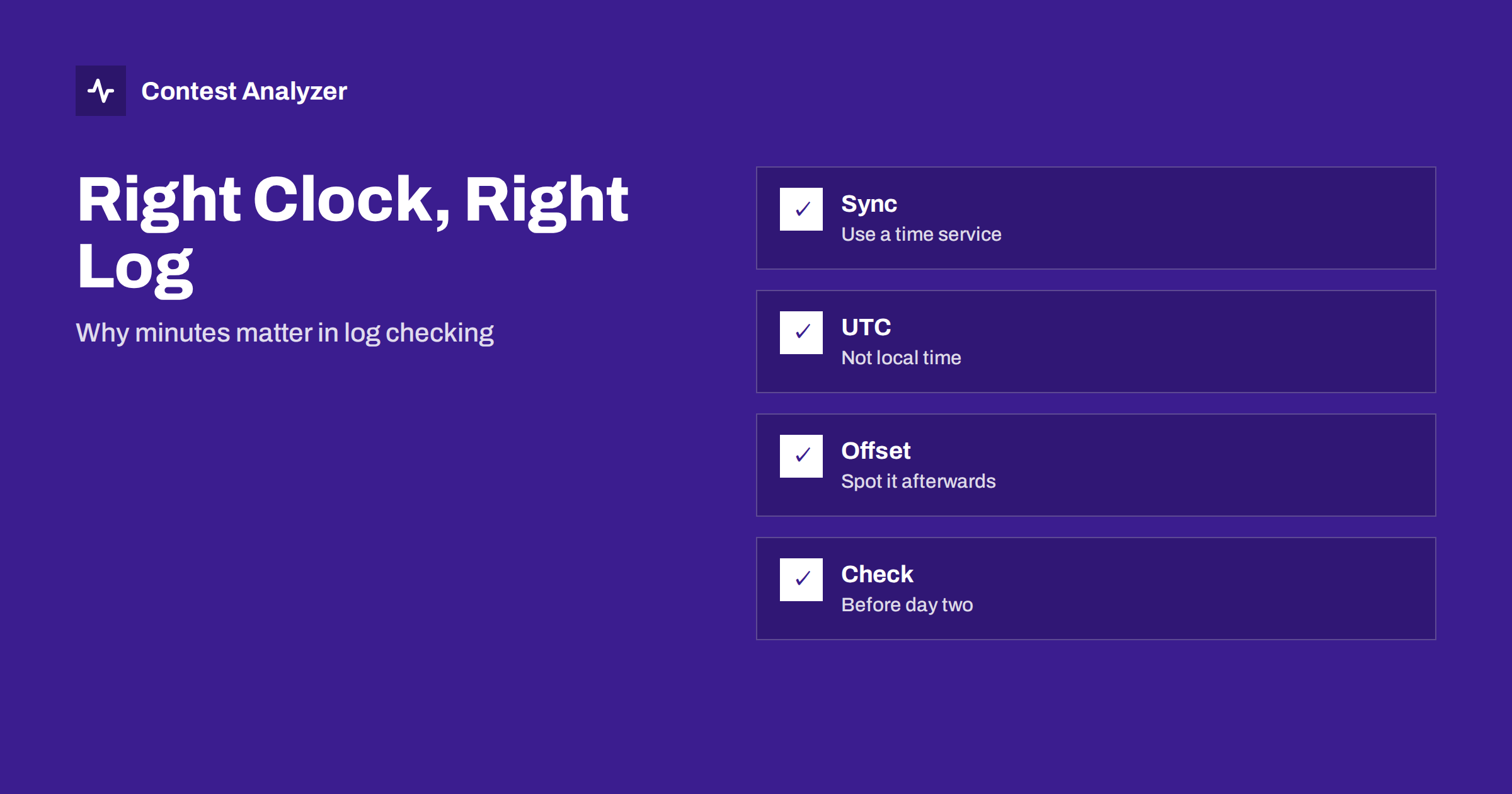
Short answer: Your logger stamps every QSO with the time from the computer clock, so a clock that is a few minutes wrong puts every QSO a few minutes wrong. That matters because contest checking compares logs by time, and because the contest start and end are defined in UTC. Synchronise the clock to a reliable source before the contest, check it again on the second day, and know how to find and correct an offset if one slips into your log.
Why the clock is part of your log
Every line of a Cabrillo file contains a date and a time. Most operators never type them: the logger takes them from the system clock at the moment the QSO is saved. That convenience hides a risk. If the computer clock is wrong, all the QSOs carry the same wrong time, and nothing in the logging window warns you. The error is invisible until somebody compares your log with another one, or until you look at your own statistics and see an odd pattern.
Time matters in three ways. First, the contest has a defined start and end in UTC, and QSOs outside that period do not count. Second, when committees compare two logs, the time of a contact is one of the elements used to match them. Third, your own analysis, such as hourly rates and breaks, depends on the stamps being right. A shifted clock can move a block of QSOs into a different hour and make the statistics misleading.
UTC, not local time
Contests use UTC, and loggers store UTC in the Cabrillo file. A common mistake is a computer set to the correct local time but the wrong time zone, or a time zone that is correct but a daylight saving setting that changed during the weekend. Some contests take place around the date when clocks change in the northern hemisphere, which makes this especially important. The logger should be configured so that it uses UTC explicitly, or so that it converts the system time correctly.
Check the actual stamp, not only the setting. Make one test QSO, look at the time shown in the log, and compare it to a trusted UTC source. If the difference is exactly one or two hours, you have a time zone or daylight saving problem. If it is a number of minutes or seconds, the clock has drifted. Our article on wrong PC clock or UTC errors describes the typical symptoms in more detail.
How to synchronise the clock
Modern operating systems can synchronise the clock automatically with a time server over the internet. In many stations this is enough, provided the computer is online. If your station is not connected, or if you want a tighter control, you can use a small program that sets the clock from a time server on demand, or a GPS-based time source. The exact tools depend on your system, so follow the documentation for your operating system and your preferred utility.
The goal is not perfection to the millisecond. For contest logging, an accuracy of a few seconds is excellent, and an accuracy of under a minute is acceptable. The real danger is a clock that is minutes out because it has not been synchronised for months, or one that was changed by hand and never put back. Make time synchronisation part of the routine you follow when you set up the station, together with checking the country file and the logger settings. See logger settings to check before a big contest.
Check it again during the weekend
A clock that was right on Friday can be wrong on Sunday. Computers that go to sleep, battery-backed clocks that are weak and automatic updates that restart services can all change the time. Some stations lose network access during the contest because of noise filters or a router that was switched off, and then the automatic sync stops. A short check on the second day, with a trusted time source on a phone or a radio clock, takes less than a minute.
If you are running several computers in a multi-operator station, check all of them. A difference between the machines produces a log in which the sequence of QSOs does not match the real order, and that creates problems when you merge. The article on merging multi-op logs explains what happens when clocks disagree.
How a wrong clock shows up after the contest
There are several signs. The first QSO of the contest appears in your log earlier or later than the start time you remember. The last hours of the log fall after the end of the contest, or QSOs seem to stop before it. The hourly statistics show a break at an odd hour that you do not remember. A sequence of QSOs on the same frequency has a time order that does not match the serial numbers you logged. Any of these suggests that the clock was off.
A report that marks QSOs outside the contest period is a useful safety net. Contest Analyzer, for instance, marks QSOs outside the contest period and outside the band limits for your ITU region, with split QSOs shown as a note. If a block of QSOs at the start or the end is flagged, check your clock before you do anything else, because the cause may be one offset and not many separate mistakes.
Correcting an offset
If you find that the whole log is shifted by a constant amount, you can correct it by applying the same offset to every QSO. Some loggers have a function for that; otherwise a text editor or a script can do it on the Cabrillo file. Do not guess: confirm the offset with an independent point, such as a QSO whose time you can verify from a recording or from a note. If the offset changed during the contest, for example because the clock was reset on Saturday, the correction must be applied only to the affected part.
Be careful with the date as well as the time. An offset that crosses midnight UTC changes the date of some QSOs. After the correction, look at the first and last QSOs and at the QSOs around midnight to make sure that the dates are right. In a report, you can edit the time of individual QSOs, and download a corrected Cabrillo file; the article on fixing a wrong time in a contest log explains how to decide between an offset and a single mistake.
Small habits that prevent big problems
- Write the UTC time and the clock source in your station notebook before each contest.
- Do one test QSO and check the stamp against a trusted source.
- Disable automatic time zone changes during the weekend, if your system allows it.
- Do a second check on day two, and again before the final hours.
- Keep a copy of the original log before you apply any correction.
These steps are short and they give you something precious: a log in which the time column can be trusted. That makes every later analysis, from rates to breaks, more reliable.
Time and audio recordings
If you record audio during the contest, the file has its own time stamp, usually from the same computer. That is helpful, because a recording can be used to verify a doubtful QSO later, and the log and the recording share the same clock. But it is also a reminder that an offset in one is an offset in both. When you listen to a recording to check a QSO, find a QSO that you are sure about, compare its log time with the position in the recording, and use that difference to find others. Our article on using audio to fix log errors describes the routine.
Time on the radio side and in the cluster of tools
Modern stations often have more than one device that knows the time: the logging computer, a second computer for audio, a radio with a built-in clock, a keyer, a phone. When these disagree, it is tempting to trust the one that is closest. The only sensible rule is to choose one reference and set everything else to it. If your logger is the device that writes the time stamps, then its clock is the one that matters for the log, and it should be the one you verify most carefully.
It is also worth thinking about what happens at the extremes of the contest. In the last minute of the contest, a QSO started before the end may be logged after it. The rules treat the time of the QSO as the time it was made, and a precise clock makes it easier to decide. A clock that runs a minute fast could put your final contacts outside the period, and a clock that runs a minute slow could hide the fact that you started early. Neither case should be left to chance.
Finally, remember that remote and travelling stations have extra risks. If you operate from a different country, check the time zone setting again after arrival. If you use a laptop that has been in a bag for a week, its clock may have drifted; synchronise it at the start of the trip, not on the day of the contest. A five-minute check on the evening before is cheaper than a long correction afterwards.
Related reading
- When Is a QSO Made? Logging Time and the Last Minute
- Fixing a Wrong Time in a Contest Log: Offset or Mistake?
- QSOs Before the Start or After the End of a Contest
The bottom line
A wrong clock produces a wrong log without any visible warning. Use UTC, synchronise before the contest, check again on day two, and look for the signs of an offset afterwards. If you find one, correct it carefully and keep the original file.
FAQ
How accurate does my clock need to be?
Within a few seconds is excellent for contest logging. A clock that is minutes out is a real risk, because logs are compared by time.
Does my logger use local time or UTC?
That depends on its settings. Make a test QSO and compare the stamp with a trusted UTC source rather than trusting the setting.
What if I discover an offset after the contest?
Confirm the size of the offset from a QSO you can verify, apply it to the affected part of the log and check the dates around midnight.
Can a report help me find a clock problem?
Yes, a flag for QSOs outside the contest period at the start or end is often the first sign that the clock was wrong.