Short answer: The Contest Analyzer home page says that each contest has its own period, bands and exchange, that fixed numbers such as zones are checked and that serial numbers are not. That is why the first step of an upload is to choose the contest and the year: the choice tells the check what a correct QSO line looks like for that event. A wrong choice is the easiest way to get a confusing report, so pick carefully and confirm it against your Cabrillo header.
One log format, many sets of rules
Cabrillo is a common file format, and the same QSO line layout appears in logs from very different contests. But what is correct inside the line depends on the contest. A QSO on 160 metres may be perfectly normal in one event and impossible in another. A zone number is part of the exchange in one contest and absent from another. A date that falls inside the period of one contest is outside the period of the next. The file itself does not carry these rules; the contest does.
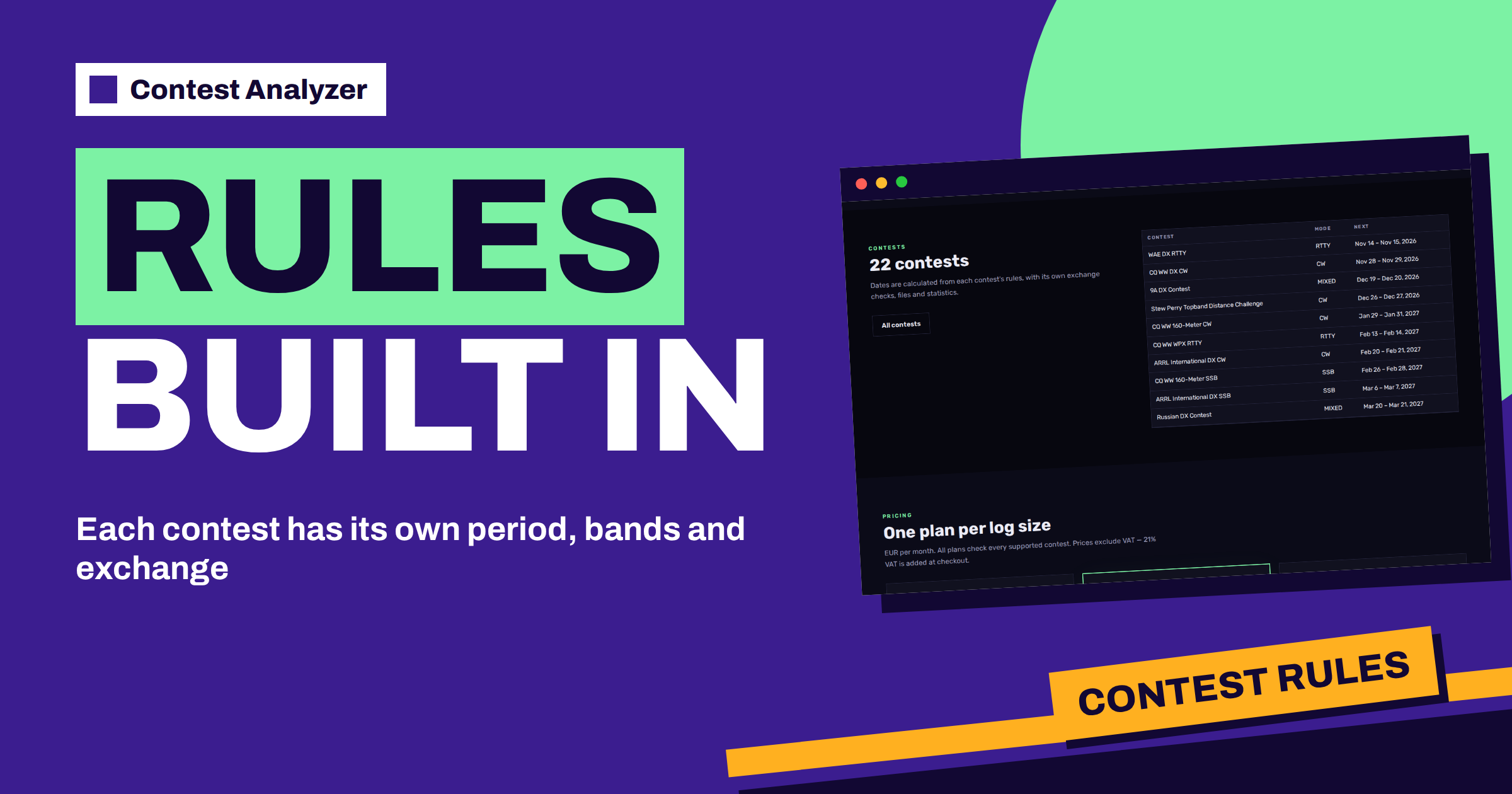
That is the reason for the statement on the home page: each contest has its own period, bands and exchange. The service knows the rules of the 22 contests on its list, and uses them when it checks your log. The contests page adds that the dates are calculated from each contest’s rules, with its own exchange checks, files and statistics. So the choice of contest is not a label; it selects the set of rules that your log is measured against.
What you choose at upload
The home page describes the first step as choose the contest. You pick the contest and the year and upload your Cabrillo log. The contests page repeats it: choose a contest in the app, upload your Cabrillo log, and the check starts in the background. Two choices matter: the contest, for example CQ WW DX CW or WAE DX RTTY, and the year, because the period and the rules are tied to a specific edition.
Take the choice from your own records, not from memory. The CONTEST line in the Cabrillo header names the contest as your logger wrote it, and our guide to the Cabrillo header explains each line. Compare the header with the contest you choose in the app, and check the dates of the first and the last QSO against the period on the contests page. If they do not match, stop and find out why before you upload.
The period
Every contest has a start and an end in UTC. The contests page lists them: for example, CQ WW DX CW from 28 November 2026, 00:00 UTC, to 29 November, 23:59 UTC, and the 9A DX Contest from 19 December 2026, 14:00 UTC, to 20 December, 13:59 UTC. A QSO outside the period cannot count, and a wrong date or time in the log may place a good QSO outside it. The period is therefore one of the first things that the rules decide.
If you operate across midnight UTC, or your computer was set to local time, the period is where a mistake becomes visible. The article about QSOs outside the contest period shows the usual causes, and the article about the midnight UTC rollover shows how to prevent them.
The bands
Each contest also defines the bands that are used. Some contests use the classic HF bands, some include 160 metres only, and some are limited to a single band or a part of a band. A QSO on a band that the contest does not use is an error of a different kind: it may be a wrong frequency in the logger or a QSO that was made outside the event. The rules built into the check know which bands belong to the contest you chose, so such a line can be seen.
Because the frequency and the band come from your logger, a wrong frequency often has a technical cause. The articles about the frequency field in Cabrillo and frequency field errors from the logger explain how it happens.
The exchange
The exchange is where the rules matter most for callsigns and zones. In CQ WW the exchange includes the CQ zone, which is a fixed property of the station, so it can be checked. In the IARU HF World Championship the exchange includes an ITU zone or a society abbreviation. The home page says that CQ and ITU zones are checked for every QSO, and that a zone that does not exist in that country is always flagged. A single contest rule decides which of these checks applies to your log.
The same page says that serial numbers are not checked. In a contest where the exchange includes a number that grows from QSO to QSO, you check the numbers yourself. Our article about serial numbers explains the habits that keep them clean. The article on CQ zones explains what the fixed numbers are, in the context of CQ WW.
Files and statistics belong to the contest too
The contests page says that each contest comes with its own exchange checks, files and statistics. In practice this means that the report you get is shaped by the contest: the statistics that make sense for CQ WW, such as zones and countries, are not the same as those for a contest with a different exchange. When you compare your log with previous years, you compare the same contest, which is the fair comparison. If you pick a different contest by mistake, the comparison and the statistics lose their meaning.
For the comparison across years, the article on year-on-year comparison of the same contest shows what to compare, and the one about comparing your logs in Contest Analyzer shows how the service presents it.
Signs that the wrong contest was chosen
A wrong choice usually shows itself quickly. The most obvious sign is a very large number of flagged lines on the same issue, for example many QSOs with a date outside the period or many zone problems on every line. If your log has a thousand QSOs and nearly all of them appear in the list, the chance that you operated that badly is small, and the chance that you chose the wrong contest is large. Another sign is a QSO count that does not match your logger, or a first and last QSO that fall at times you do not recognise.
In that case do not fix the log line by line. Go back to the choice, correct it and run the check again. It is easier to repeat the upload than to undo a series of edits that were made to satisfy the wrong rules. When you have the right contest selected, the report should be short, in line with what the home page promises: a short list, not thousands of warnings.
Contests that look alike
Some contests are close relatives and are easy to mix up. CQ WW DX has a CW, an SSB and an RTTY edition, held on different weekends, and CQ WW WPX has its own three editions. The WAE DX contest has CW, SSB and RTTY editions as well. The contests page lists each of them as a separate row with its own dates, so choose the row that matches the mode and the date of your operation. The mode is shown next to the name, and for mixed events, which use more than one mode, the page says mixed.
When two contests have similar names, use the dates as the tiebreaker. The date of your first QSO must fall into the period of the contest and the year that you choose. If you operate two contests in one month, upload them as separate logs, each with its own header and its own choice. That keeps the statistics clean and the comparison with previous years meaningful. A short note in your own records, with the contest, the year and the file name, makes the later review much easier.
A pre-upload checklist
- Open the Cabrillo file and read the CONTEST line, the category lines and the callsign.
- Find the contest on the contests page and note its period, mode and log deadline.
- Check that the first and the last QSO fall inside the period.
- Choose the contest and the year in the app, and upload the file.
- When the report appears, check that the number of QSOs matches your logger.
This takes two minutes, and it removes most of the strange results that come from a wrong choice. If something does not match, correct it in the logger and export the file again.
Related reading
- Which Contests Contest Analyzer Supports
- Uploading a Cabrillo Log: A Walkthrough
- Contest Schedule and UTC Planning
The bottom line
The rules are built in so that the check judges your log by the right standard, but only if you tell it which contest and year you entered. Take the choice from the Cabrillo header, check the period on the contests page and keep the official rules at hand for details such as categories and deadlines. The FAQ lists the supported contests and what is checked.
FAQ
Why do I have to choose a contest when I upload a log?
Each contest has its own period, bands and exchange, and the check needs to know which rules to apply.
What happens if I choose the wrong contest?
The report may flag lines that are fine or miss real problems, and the statistics are less useful. Compare your header and dates before you upload.
Where do I find the dates of a contest?
On the contests page, which lists the start, the end and the log deadline of each supported contest.
Are serial numbers part of the built-in checks?
No. Fixed numbers such as zones are checked, while changing serial numbers are not.
Do the built-in rules replace the official rules?
No. Always read the current official rules for categories, scoring and the submission method.