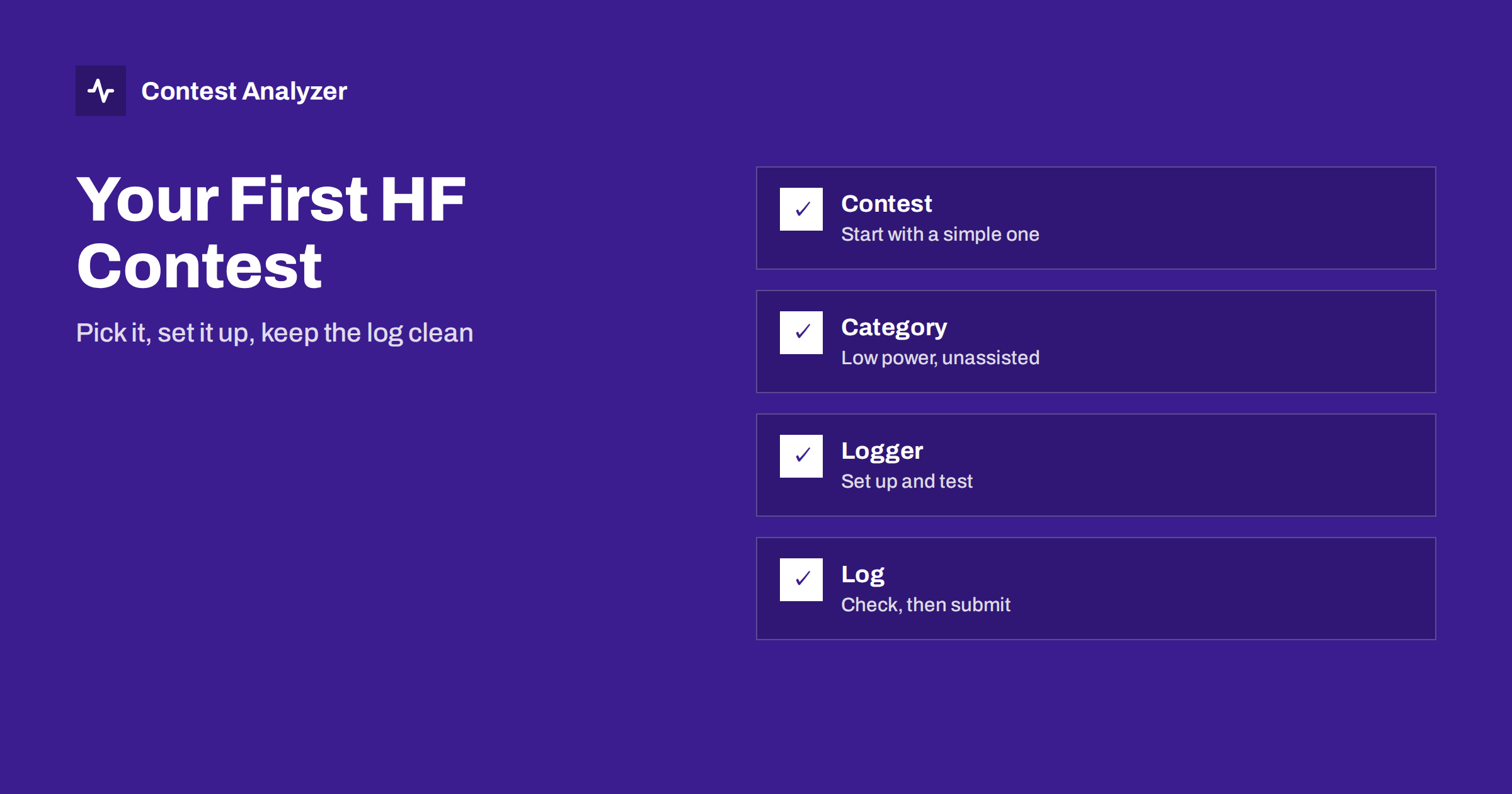
Short answer: For a first HF contest, choose a contest with a simple exchange, enter a category with few restrictions (for many people that is single operator, low power, unassisted), install and test a contest logger before the weekend, and aim for a clean log rather than a high score. Operate for as many hours as suits you, check the log, export a Cabrillo file and submit it on time.
Why a first contest is worth doing
Contests are the busiest, most concentrated operating on the HF bands. In a single weekend you can work more countries than in months of casual operating, test your antenna, and learn what your station really does. You do not need a big station or a long weekend. Many contest operators started with a simple wire antenna, a hundred watts and a few evenings.
The aim of the first contest is not to win. It is to learn the routine, make a clean log and finish with a result you can compare with next time. If you decide at the start that those are your goals, everything else becomes easier.
Choosing a contest
Dozens of contests are held every year, in different modes and with different exchanges. A few guidelines help to narrow the choice.
- Pick a simple exchange. A report and a serial number is the easiest to learn. A report and a zone is also easy once you know your own zone, as in the CQ World Wide DX Contest. Exchanges with several elements, such as state, age or district codes, are fine after you have some experience.
- Pick a mode you are comfortable with. If you are a phone operator, choose an SSB weekend. If you like CW, choose CW. Do not try a new mode and a new contest at the same time.
- Pick a contest with a lot of activity. Large contests give you plenty of stations to work at any hour, so you can find a quiet corner of the band to learn in. The CQ WPX Contest and the CQ World Wide DX Contest are good examples, and you can read their official rules at cqwpx.com and cqww.com.
- Look at the duration. Some contests last 48 hours, others only a few hours. A shorter event is a fine way to start.
Always read the current official rules before the event. Exchanges, categories, bands and deadlines change from year to year, and you should not rely on what you remember from an old description.
Choosing a category
The category defines how you take part and who you are compared with. For a first contest, the standard advice is to keep it simple: single operator, low power, and a category without assistance. Assistance, in the sense of the rules, usually means using outside information about who is on the air; the article on assisted and unassisted categories explains it in more detail, and you should read the definition in the rules of your contest.
If you do not want to operate the whole contest, many events have a limited-time or single-band category, or let you enter an all-band category and operate as many hours as you like. In some contests there is a rule about breaks and off time, which can affect your category if you stop for long. That is covered in the article on off time and breaks. Choose the category that fits the time you actually have, and enter it honestly.
Setting up a contest logger
A contest logger is different from a general logbook. It knows the contest rules, checks for dupes, tracks multipliers, shows you the score and exports the log in the right format. The commonly used programs are N1MM Logger+, DXLog and Win-Test, and all three export Cabrillo files. Choose one, install it well before the contest, and learn the basics.
- Create a contest log for the specific contest. Choose the right contest, category and mode, and enter your own callsign, zone and any exchange elements the contest needs.
- Update the country file. Loggers use a list of prefixes to identify countries and zones. An out-of-date list can assign the wrong country to a new or changed callsign.
- Set up your radio connection. If your logger can read the frequency and mode from the radio, the band and mode are logged automatically. Test it before the contest.
- Set up the function keys. For CW or voice, the function keys send CQ, the exchange and your callsign. Check each message by listening to the output into a dummy load or on a monitor.
- Check the computer clock. QSO times in the log come from the computer. A wrong clock produces wrong times. The article on UTC clock errors shows what can go wrong.
- Do a practice session. Enter a few made-up QSOs, including a dupe, and see how the logger reacts. Export a Cabrillo file and open it in a text editor.
The article on setting up N1MM Logger+ for CQ WW gives a more detailed example of a typical setup.
Making your first QSOs
When the contest starts, resist the urge to dive in. Spend ten minutes listening. Learn how stations give the exchange, how fast they send or speak, and where the activity is. Then begin by answering CQs, an approach known as search and pounce. It lets you work stations at their own pace and use their exchange as a guide. When you are comfortable, try calling CQ yourself for a while, which is called running. The article on run vs search and pounce explains the difference and how to measure each.
A few habits will help in your first hours:
- Say or send your callsign clearly, once or twice, and wait for the answer.
- Copy the other station’s callsign carefully, and repeat it back if you are not sure.
- Give the exchange correctly and ask for a repeat if you miss something. Repeats are normal in contests.
- Do not worry about the rate. Accuracy comes first.
Keeping the log clean while you operate
A clean log is easier to make during the contest than to repair afterwards. Look at the callsign on the screen before you send the exchange. Check the zone against the country if the contest uses zones. Use the logger’s duplicate warning; if the same station answers again, the logger will say so. Working a dupe is not an error in itself, and the article on dupes in contest logs explains how they are treated.
Take notes on what is difficult. A scrap of paper next to the computer for “stations I had trouble with” or “things I would change” is useful in the days afterwards. Save the log regularly and make a backup copy during the contest if your logger does not do it automatically.
Rest, food and a realistic plan
You do not need to operate through the night. A first contest is a good time to find your own limits. Plan some blocks of operation that suit your life: an evening session, a morning session, perhaps a few hours at the best time for your antenna. Take breaks, drink water and eat. Tired operators make more errors, and a cheerful two hours are worth more than a miserable ten.
After the contest: check, export, submit
When you finish, do not close the program and forget it. Spend half an hour on the log. Look at the QSO list, correct obvious typing errors, check the callsigns that you had trouble with, and make sure the date, time and band columns look sensible. Export the Cabrillo file; the steps in the main loggers are described in the article on exporting Cabrillo from N1MM Logger+, DXLog and Win-Test. Open the file in a text editor and check the header, which tells the committee who you are and which category you entered. The header fields are listed in the Cabrillo log header guide.
Contest Analyzer is a convenient final step. You upload the Cabrillo, and it checks every callsign and every zone against official license databases and several independent reference sources and shows only the few QSOs worth a second look. You can correct callsigns and zones in the report and download a corrected Cabrillo. You also get full statistics on your first contest, such as rates, QSOs by hour and band, countries and zones, which will be a baseline for next year. Serial numbers are not checked and dupes are not shown as errors. The pricing page shows the current plans.
Finally, submit on time. Deadlines are part of the rules of each contest; see the article on log submission deadlines.
Related reading
- How to check a contest log before you submit it
- Export Cabrillo from N1MM Logger+, DXLog and Win-Test
- Contest rates: QSOs per hour
- Band strategy hour by hour
The bottom line
A first HF contest does not need a big station or a long weekend. Choose a simple contest, enter a simple category, set up and test your logger beforehand, copy carefully, take rests and check your log before you send it. Then keep the result and the statistics, because next year they will tell you exactly how far you have come.
FAQ
Do I have to operate the whole contest?
No. In many contests you can operate for as few or as many hours as you wish, but some have rules about time limits and categories. Read the current rules to see what applies.
Which logger should a beginner use?
N1MM Logger+, DXLog and Win-Test are all widely used and export Cabrillo. Choose one that suits your computer and radio, and practise with it before the contest.
Is it all right to submit a small log?
Most contests accept logs of any size, but check the rules for any minimum. A small, clean log is still useful to the committee and a good start for you.
What exchange is easiest to start with?
A report plus a serial number or a report plus a zone are both straightforward. Check the exchange in the current rules of the contest you pick.
Can a tool check my first log before I send it?
Yes. Contest Analyzer checks callsigns and zones in your Cabrillo, shows the few QSOs worth a second look and gives you full statistics for comparison next year.