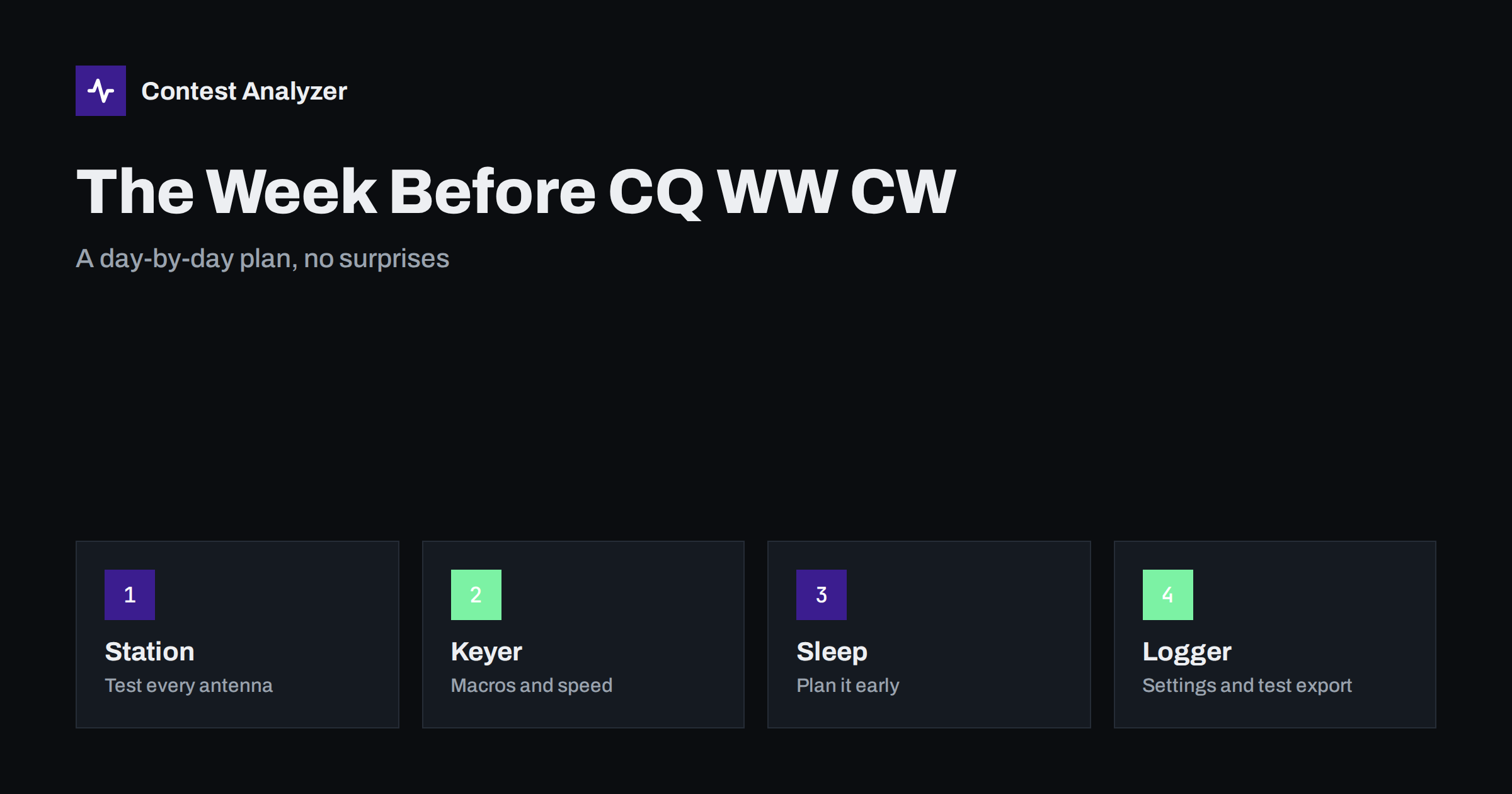
Short answer: The last week before CQ WW DX CW is for removing risk, not for building new things. Check the station early in the week, fix the keyer and the macros, set the logger for the contest, make a test Cabrillo export and plan your sleep like you plan your bands. Leave the last two days for rest and for small checks only.
Seven days out: decide what you will not change
The most useful decision in the final week is a list of things you will not touch. A new antenna, a new amplifier or a new version of the logging software may all be good ideas, but a contest weekend is a poor place to find out how they behave. Write a short list on paper: the antennas that work, the radio settings that you know, the logger version and the computer that you will use. Anything that is not on the list waits until after the contest.
Then write the opposite list: the small jobs that must be done. Typical items are a spare coax jumper, a second pair of headphones, a spare key or paddle, a fresh log file, a charged laptop battery or a working uninterruptible power supply for the computer. A short list that you can tick off gives a calm start to the week.
Six and five days out: the station
Walk through the station as if it were the first hour of the contest. Switch on every radio, check every antenna on every band you plan to use, and measure the SWR. Rotate the beam to all directions and check that the heading shown in the software matches the real heading. Test the band decoder or antenna switch if you use one, and make sure that the transmit audio and the CW output do not interfere with the computer or with the keyer interface.
Look at the grounding and the cables that move in the wind. A connector that was fine in the summer may have water in it after autumn rain. If something fails, you still have time to repair it. If you operate with a power limit that depends on the category you plan to enter, check what the amplifier really delivers, and write it down for later. The rules of each contest define the categories, so check the current official rules at cqww.com before you decide.
Four days out: keyer and macros
In a CW contest, most of what you send comes from the keyer or the logger, so the macros are part of your station. Read each message on the function keys and answer three questions. Is the callsign correct? Is the exchange correct for this contest? Is the speed right for the message? For CQ WW, the exchange is the signal report and the CQ zone, so the zone must be set to your own zone in the logger, and the macro must send it in the form you intend. The article on the CQ WW DX CW checklist has the operating side, and the notes on cut numbers are useful if you shorten the numbers.
Check also the less visible functions: the message that repeats your callsign, the one that asks for a repeat, the “TU” message that logs the QSO and the one that sends your callsign only once. Decide your default speed and the step by which you change it. Many operators find that a speed they can copy comfortably for hours gives a better result than the highest speed they can manage for an hour.
Three days out: the logger
Create a new log for the contest in the logger, choose the correct contest from its list and check the exchange settings. The most common settings that are forgotten are your own CQ zone, your own country, the category and the operator callsign. In N1MM Logger+ and similar programs these settings decide what appears in the Cabrillo header, so a mistake here travels to the file. The article on setting up N1MM Logger+ for CQ WW shows the general steps.
Update the country file if your software uses one, since prefixes and country assignments change from time to time. Check the computer clock. A clock that is a few minutes wrong gives every QSO in the log a wrong time, and this is a problem that is easy to prevent and hard to repair later. The article about UTC clock errors explains the symptoms. Set the clock to synchronise automatically and check it against a reliable time source on the day before the contest.
Two days out: the test export
Enter a few test QSOs, with a few different zones and a few different bands, and export a Cabrillo file as if the contest had ended. Open the file in a plain text editor and read the header line by line. Check the callsign, the category lines, the operator names, the club if you use one and the claimed score. Look at a QSO line and verify the columns: frequency, mode, date, time, your callsign, the exchange you sent, the callsign you worked and the exchange received. The article on the Cabrillo QSO line format explains each column.
Then delete the test QSOs, or better, start a fresh log file for the real contest so that no test data remains. A test export on Thursday takes ten minutes and saves the worry on Monday, when the 48-hour deadline for CQ WW logs is counted from the end of the contest. Check the current rules for the exact deadline.
The sleep plan
A 48-hour contest is a test of attention as much as of the station, and attention depends on sleep. Decide in advance when you will sleep and for how long. Many operators plan a longer rest in the part of the contest where the rate is lowest on their own path, and one or two short naps in the second night. Look at your own statistics from last year, if you have them, and find the hours where the rate was low. Those are the natural hours for rest. If you enter a category where the off time is limited, read the rule carefully, because breaks of a certain length count and shorter ones do not. The article about off time and breaks explains the principle.
In the days before the contest, start to shift your sleep so that you are rested on Friday evening, not tired. Avoid heavy work on Friday. Prepare food and drinks that you can take without a long break. Tell your family when you will be available. These are small things, but a problem with them can cost more QSOs than a missing band.
The day before
On Friday, do only small things. Check the forecast for the propagation and the weather, set up the bands plan for the first hours, and write down the times of the sunrise and the sunset on your path. Check that the backup of the log is working: a second location on the same computer, a USB drive or a network copy, as described in protecting your contest log during the contest. Close the programs you do not need, and disable the updates and the screen saver that could interrupt the logger.
Put a pen and a notepad near the radio. A short note about a problem, such as a band that was noisy or a zone that you were not sure about, is useful for the review after the contest. The routine in the post-contest review uses such notes.
After the contest: what the log can show you
When the contest is over, the work is not finished. Export the Cabrillo file, review the doubtful QSOs and then submit the log. Contest Analyzer helps at this stage. It checks every callsign and every zone against official license databases and several independent reference sources and shows only the few QSOs worth a second look. You can edit calls or zones in the report and download a corrected Cabrillo. The report also gives full statistics: rates, QSOs by hour and band, countries, continents, CQ and ITU zones, WPX prefixes, distance, beam heading, breaks and off time, and callsign length and structure. You can compare with your own logs from earlier years, which is a good way to see whether this week of preparation made a difference. It works with Cabrillo from N1MM Logger+, DXLog and Win-Test and supports 22 contests; the contests page lists them. Serial numbers are not checked, and dupes are not errors.
A checklist for the week
- Seven days: write the list of things that will not change and the list of small jobs.
- Six to five days: test all antennas and radios, repair what fails.
- Four days: check every macro, the speed and the zone in the exchange.
- Three days: new log, correct settings, country file, computer clock.
- Two days: test export and look at the Cabrillo header and QSO lines.
- One day: backups, forecast, bands plan, food, rest.
Related reading
- CQ WW DX CW checklist
- CQ WW DX SSB checklist
- Plan your contest schedule in UTC
- Export Cabrillo from N1MM Logger+, DXLog and Win-Test
The bottom line
The best preparation for CQ WW DX CW is quiet and boring: stable antennas, clear macros, a correct logger, a tested export and a sleep plan. Do the checks early in the week, change nothing in the last two days and let the weekend show what the station can do.
FAQ
How early should I test the station before CQ WW DX CW?
About a week before, so that you have time to repair a problem and to order a spare part if needed.
Which logger settings are most often forgotten?
Your own CQ zone, your own country, the category and the operator callsign. They affect the exchange and the Cabrillo header.
Why make a test Cabrillo export?
It shows you the header and the QSO lines before the contest, when there is still time to fix any setting.
Is a fast keyer speed always better?
No. A speed that you can copy comfortably for many hours usually gives a better result than a speed that tires you quickly.
How long do I have to send the log?
For CQ WW the current rule is 48 hours after the end of the contest. Always check the current official rules.