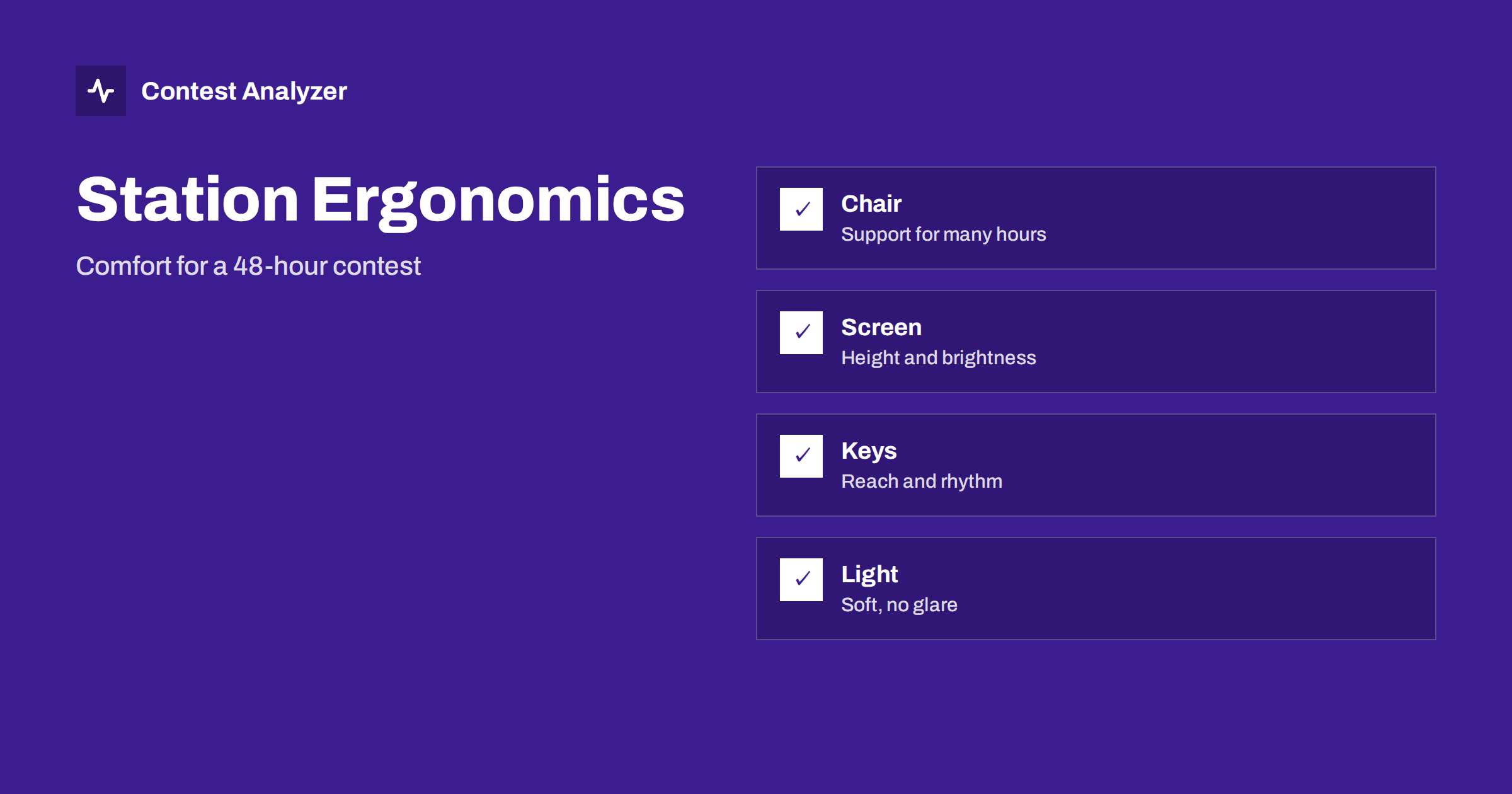
Short answer: In a contest of 24 or 48 hours, your body is part of the station. A good chair, a screen at eye height, a keyboard and keyer within easy reach, soft lighting, tidy cables and regular movement reduce fatigue, and less fatigue means a steadier rate and fewer errors in the log. Test the arrangement in a long practice session, change one thing at a time and write down what helped.
Why ergonomics belongs in a contest article
Most advice about contest results concerns antennas, power and propagation. These matter, but a station can be excellent and still produce a poor result if the operator is uncomfortable. Pain in the back or wrist, tired eyes and stiff shoulders reduce attention in the later hours, exactly when errors increase. The statistics show it: a weaker rate and more QSOs to check in the second night. The article on operator fatigue in 48-hour contests describes the pattern, and this one is about the physical set-up that can delay it.
You do not need expensive equipment. Many improvements cost nothing: moving a monitor, adjusting a chair or putting the keyboard where the forearms can rest. What matters is to think about the arrangement before the contest and to test it for longer than a short session.
The chair and your back
The chair is the most important single item. It should support the lower back, allow the feet to rest flat on the floor and keep the knees at roughly a right angle. The height of the seat should let the forearms rest on the table without lifting the shoulders. A chair that is pleasant for thirty minutes can become painful after five hours, so use it for a long time in practice. A cushion for the lower back and a footrest solve many problems.
Plan to leave the chair regularly. Standing up and walking for a minute every hour improves circulation and gives the eyes a rest. In a contest where a break costs QSOs, a very short pause while a long call is being answered by the voice keyer, or while the band is slow, is easy to take. Use the rate meter as a guide, as in the rate meter during a contest, and choose the quietest moments.
Screen, light and eyes
Place the main screen so that the top of it is at or just below eye level and about an arm’s length away. A screen that is too high strains the neck, and one that is too low strains the back. Use a brightness that matches the room; a bright screen in a dark room tires the eyes quickly. A dark theme in the logging program can help at night, but check that the text stays easy to read.
Lighting should be soft and indirect, without glare on the screen. A small lamp that lights the table and any paper notes, without shining into your eyes, is enough. Avoid strong light from behind you that reflects on the screen. If you use more than one screen, arrange them so that the one you look at most is directly in front of you. Take your eyes off the screen from time to time and look at a distant point.
Keyboard, keyer and mouse
Put the keyboard where your forearms can rest, not hang in the air. The hand that operates the keyer or paddles should have a stable support, and the keyer should sit where the wrist is straight. The article on keyer, paddles and ergonomics for long CW contests goes into detail. If you use a footswitch or a microphone on an arm, make sure that they are within reach and do not force you to lean.
Reduce the use of the mouse. The more of the work you can do with keys, the less your hand has to move between devices, as described in function-key messages. If you do use a mouse, put it close to the keyboard so that the arm is not stretched. Check your wrists for signs of strain during the contest and change the position if they start to ache.
Audio and the ears
Headphones or speakers should give a clear sound at a moderate volume. Listening at a high level for many hours is tiring. Headphones that are light and comfortable, with soft pads, are better than heavy ones for a long session. Take them off for a few minutes each hour if the contest allows. The articles on headphones, filters and listening fatigue and on stereo audio for two receivers give more advice.
Noise in the room matters, too. A quiet shack with the door closed, or at least with the noise of fans reduced, helps concentration. If the computer or the amplifier makes a lot of noise, consider moving it, or at least placing it where the sound does not reach the microphone and the headphones.
Cables, table and tidiness
A tidy table prevents a surprising number of errors. Loose cables can be pulled out, a drink can spill and papers can slide into the keyboard. Fix the cables with ties or clips and keep them out of the area where your arms move. Put drinks in a stable holder and away from the equipment. Keep only the items you need on the table: the radio controls, the keyboard, your notebook and a pen. Keep a clock in view, showing UTC, as a second check of the computer clock.
Keep a few things within reach: a spare pen, a cable or two, a torch and the phone number of a friend who can help with a technical problem. The article on logger settings to check before a big contest has a longer checklist for the software side.
Temperature, food and rest
A comfortable temperature keeps you alert. A room that is too warm makes you sleepy, and one that is too cold makes you stiff. Keep a sweater and a blanket close, and open a window briefly from time to time. Drink water regularly, and eat simple meals at planned times. Heavy food can cause sleepiness, and large amounts of caffeine late in the contest can ruin the rest you plan. The article on planning your contest schedule in UTC shows how to fit meals and sleep around the band openings.
How to test and measure
The best test of a station arrangement is a long practice session, ideally a few hours in a smaller contest. Notice what hurts and what distracts you, and note it. Change one thing at a time so that you know what helped. After the contest, compare your statistics: did the rate fall as much in the later hours as in previous years? Did the QSOs to check increase? A report with full statistics by hour and band, rates and breaks, such as Contest Analyzer provides, makes this comparison easier, and it checks every callsign and every zone against official license databases and several independent reference sources. Serial numbers are not checked.
A simple checklist to print and keep beside the radio covers the main points. Before the contest, sit in the chair for ten minutes and check each item in turn: feet flat on the floor, back supported, forearms level with the desk, screen at eye height, no glare, keyboard and keyer within easy reach, headphones comfortable, cables fixed, drink in a safe place, clock in view and a blanket or sweater within reach. During the contest, repeat the check every few hours, since posture drifts as you tire and an arrangement that was good at the start may have slipped.
If you share the station with another operator, adjust the chair and the screen at each changeover. Mark the usual positions with a small piece of tape on the desk so that it takes seconds. A station that suits one person badly may be uncomfortable for another, and a quick change at every handover prevents complaints and mistakes. Treat the handover as a short routine: the new operator sits down, adjusts, reads the last few lines of the log and listens for a minute before taking over the frequency.
Lastly, think of safety. Long hours at a desk with equipment that carries mains voltage and radio frequency energy call for some respect. Keep the floor free of obstacles, make sure power strips are not overloaded and keep ventilation clear around amplifiers and power supplies. A calm, safe station is also a comfortable one, and it lets you concentrate on the log and the band.
Keep a short note after each contest about what felt wrong and what felt good. A line such as chair too low after hour twelve or new lamp helped is easy to write and valuable next season. Over the years, these notes turn into a personal specification for your ideal operating position.
Related reading
- Finding Your Tired Hours in Contest Statistics
- Choosing CW Speed in a Contest: Slow Down or Speed Up?
- Setting Up Audio Recording for a Contest: A Practical Guide
The bottom line
A comfortable operator makes fewer mistakes and keeps the rate longer. Adjust the chair, screen, keyboard, lighting and sound, keep the table tidy, look after yourself and test the arrangement before the contest. Small improvements in comfort often give more than expensive changes in the antenna farm.
FAQ
What is the most important item?
The chair, together with the height of the table and the screen. Test it for several hours.
How often should I move?
Stand and move briefly about once an hour, when the rate is low or while a message plays.
Does ergonomics change my score?
Indirectly, through a steadier rate and fewer errors in the later hours.
How can I measure the effect?
Compare the rate and the number of corrections in the late hours with earlier contests.