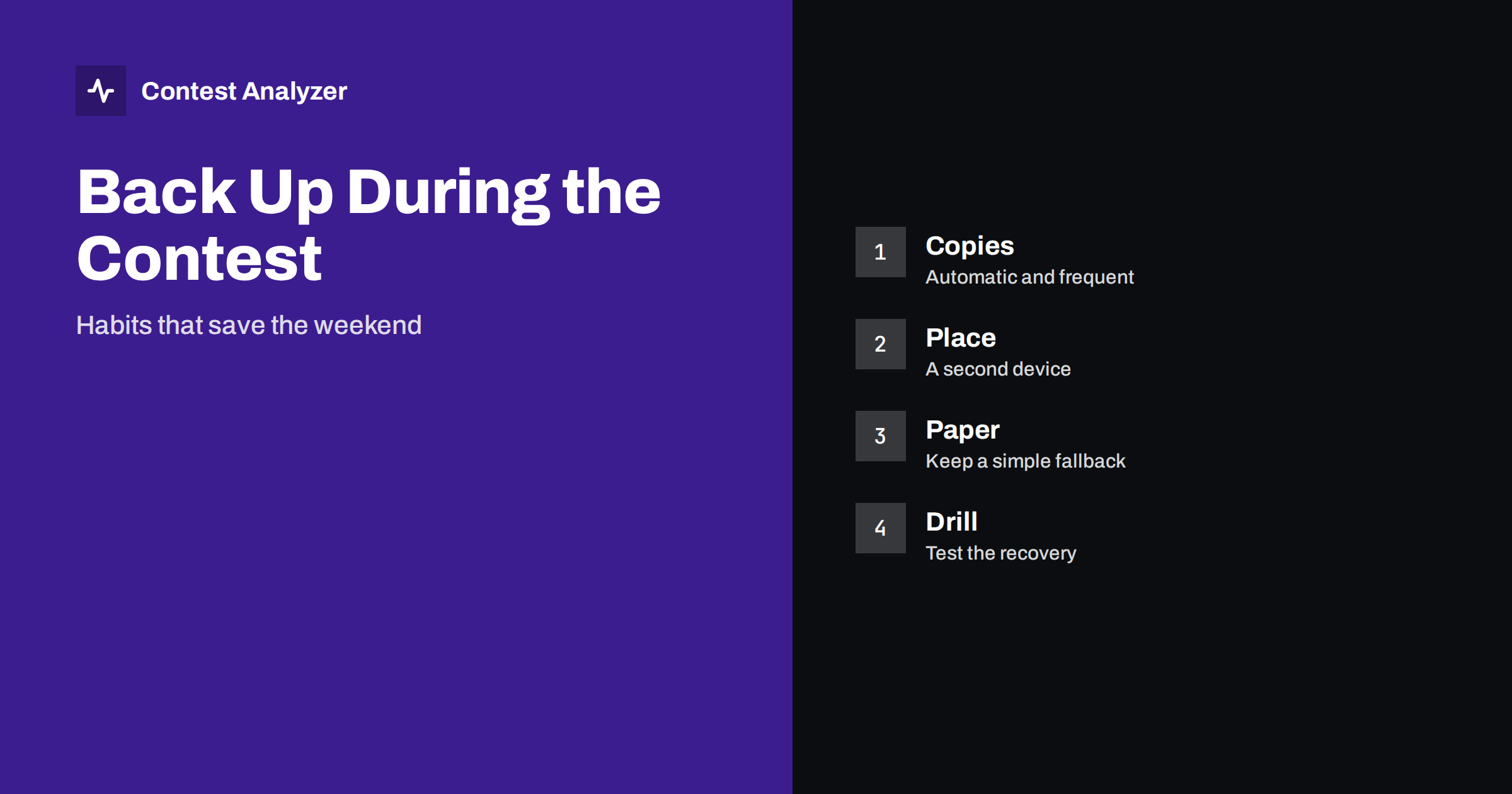
Short answer: A contest log is the result of many hours of work, and it lives in a file on a computer that can fail at any time. The safe approach is to make copies automatically at short intervals, keep at least one copy on a different device or location, keep a paper fallback for the moments when the computer is not available, and test the recovery procedure before the contest and not during a crisis.
Why backups matter more during the event
Most operators think of backups as something done after the contest, when the log is finished. The risk is highest earlier. During the event, the log file is open and constantly being written to; a power cut, a crash, a damaged disk or a mistaken click can corrupt it. If the log is lost at hour 30 of 48, there is no way to repeat the work. The cost of a loss is far greater than the cost of a few minutes spent on copies.
The earlier article on protecting your contest log and the one on keeping copies of your log describe the basics. This article concentrates on the habits that are easy to maintain when you are tired and busy, because a procedure that depends on discipline at 4 a.m. will not survive.
Let the software do the work
Most logging programs can save a backup copy automatically at intervals or after a number of QSOs. Switch this feature on and check where the copies go. Make sure the copy is written to a different folder, and preferably a different drive, from the main log. A backup in the same folder protects against a mistake in the file but not against a failing disk. Look at the date and time of the backup files after the first hour to confirm that the feature actually works.
Some programs write every QSO to a text or database file at once, while others keep data in memory and write on exit. Know which kind you use. If your program writes only on exit, a crash can lose the whole session, and you must save manually at regular intervals. Read the documentation or test it: make a QSO, kill the program, and see what is left. It is better to learn this on Thursday than on Saturday night.
Use a second location
A copy on the same computer is a convenience, not a backup. A second location can be an external drive, a USB stick, a second computer on the local network or a cloud folder. Each has its own advantages. An external drive is simple and works without a network. A second computer gives you a ready replacement. A cloud folder is protected against theft and fire but needs a working network, which may be disabled in a station that minimises noise.
Choose the method that you will actually use. For many stations a USB stick copied every few hours is enough, and a second copy on the network or in a cloud folder after the contest. Label the copies with the time, so that you can see which is the latest. Do not overwrite the previous copy at once; keep at least two generations, since a corrupted file copied over a good one is no help.
Keep a paper fallback
Paper does not crash. A notepad next to the keyboard can hold the callsigns of QSOs made while the computer was restarting, the serial number at the start of each hour and notes about doubtful contacts. It is not meant to replace the logger, but to bridge the gaps. After a crash, you will be glad to have the last numbers written down, since they tell you how many QSOs should be in the recovered file.
The paper habit also helps with notes during the contest. The article on writing notes during a contest shows how to mark QSOs so that they can be found later. A short line such as “03:12, 14 MHz, call unsure” on paper is enough to guide the review. Write the time in UTC, as the log does.
Back up the audio and the settings too
If you record audio during the contest, those files are valuable for checking doubtful QSOs afterwards. They are also big, and a full disk can stop the recording. Check the free space before the contest and plan where the files will be copied. The article on recording the whole contest covers storage and safety. Also keep a copy of the logger configuration, the call history and the country file; if you must reinstall on another computer, having them ready saves an hour.
In a multi-operator station, remember that each computer holds part of the data. A network failure can leave each computer with a different set of QSOs. Make copies from every machine, and plan how to merge them. The article on merging multi-op logs explains what to look for.
Practise the recovery
A backup that you have never restored is only a hope. Before the contest, simulate a failure: close the logger, delete or rename the current log, and restore from the backup. Time yourself. Check that the restored file opens in the logger, that the QSO count is right, and that the contest settings are intact. Try also to open the backup on a second computer, since the original may be the one that fails.
Write the recovery steps on a card and tape it near the computer. At three in the morning, it is easier to follow a card than to remember a procedure. The card should say where the backups are, how to restore them, and who to call if you need help. If you share the station, make sure everyone knows the card exists.
Do not forget the end of the contest
When the contest finishes, make the final copies before you do anything else. Export the Cabrillo file, save it in at least two places, and keep the original file untouched. Make any corrections in a copy. If you check the log with a tool, such as Contest Analyzer, which lets you edit callsigns, zones, time and frequency in the report and download a corrected Cabrillo, keep your original export as well. That way you can always return to the starting point.
Keep the files at least until the results are published and any questions from the organiser have been answered. Many contesters keep their logs for years, because they are the data for year-on-year comparison. A tidy folder with the contest name, year and callsign in the name of each file pays for itself every time you need to find something.
A checklist for the weekend
- Automatic backup switched on and tested.
- Copies written to another drive and to a second device.
- At least two generations of copies kept.
- Paper notepad with serial numbers and doubtful calls.
- Recovery card with steps, tested before the contest.
- Final export saved in two places before any editing.
What can go wrong, and what saves you
It helps to run through the typical failures one by one. A power cut or a computer crash: the automatic backup and the paper notes limit the loss to a few QSOs. A damaged file: the earlier generations of backups give you a clean version. A failing disk: the copy on another drive or a USB stick keeps the data alive. A mistaken deletion or an accidental import of the wrong file: a recent backup lets you step back. A stolen or damaged computer, which is rare but real at portable and field-day style operations: the cloud or a second location is the answer.
Each of these scenarios needs a different protection, and no single copy handles all of them. That is why the advice is always to have more than one method. Think about the failures most likely at your own station, and make sure that each has an answer. A station in a house with unstable mains power needs a battery-backed supply more than a cloud copy; a portable expedition needs a second device and a plan for the trip home.
After the contest, spend a few minutes noting what actually failed or nearly failed, and what you would do differently. A short line in your station notebook, with the date, becomes a list of improvements. In a few years, the notebook shows that the same small things went wrong each time, and the fixes are cheap.
One last tip: whenever you change something at the station during the contest, such as a computer, a cable or a program setting, make an extra backup straight afterwards, because changes are the moment when mistakes and failures are most likely to appear.
Related reading
- Keeping Copies of Your Contest Log: Files, Audio and Notes
- Logger Settings to Check Before a Big Contest
- A Station Notebook: Explain Your Year-to-Year Statistics
The bottom line
Back up while the contest is running: let the software make frequent copies, keep another copy elsewhere, hold a paper fallback, and practise the recovery before you need it. These habits cost little, and one failure that does not become a disaster pays for all of them.
FAQ
How often should I back up during a contest?
Automatically and often, for example every few minutes if the logger allows it, and manually to a second device every few hours.
Is a cloud copy enough?
It is a good second location, but it needs a network. Keep a local copy on a separate drive as well.
Why keep more than one generation of backups?
Because a damaged file copied over the previous copy leaves you with nothing usable.
Do I need a paper log?
Not a full one, but a notepad for serial numbers and doubtful calls helps greatly after a crash.