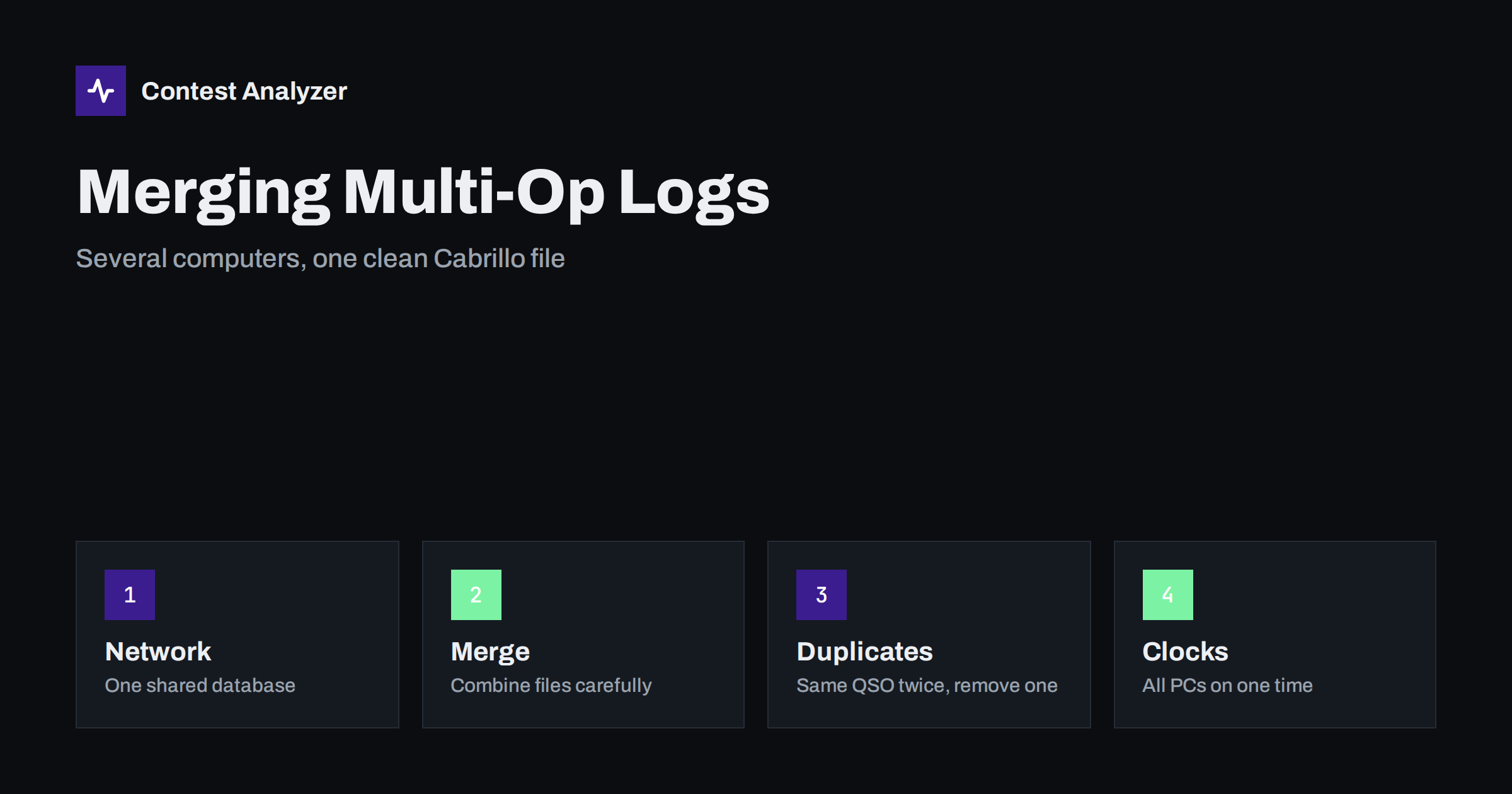
Short answer: At a multi-operator station each computer has its own log, and your job is to end up with a single Cabrillo file that contains every QSO exactly once. The best approach is to run the loggers on a network so they share one log during the contest. If you must merge files afterwards, check the time stamps first, import each file once, remove QSOs that were imported twice, and read the result before you submit it. Remember that a repeated contact with the same station is a dupe, which is different from the same QSO appearing twice.
Why multi-op logs are harder than single-op logs
A single operator has one logger and one log, and the export is straightforward. A station with several operators and several radios has more moving parts. Each position may have its own computer, there may be a separate logger for a second transmitter, and the log must still end up as one file with all QSOs in time order, with the correct category and operator information in the header.
The risks come from the same few sources: QSOs that exist in only one place, QSOs that exist in two places, computers whose clocks disagree and operators who entered the exchange in different styles. Each of these is easy to avoid if you think about it before the contest, and difficult to repair afterwards.
Option one: a network during the contest
The preferred setup is to connect the computers in a local network and use the networking function of your logging program. N1MM Logger+, DXLog and Win-Test all support networked operation, in which each computer shows the QSOs entered at the others, shares the dupe information and keeps one combined log. The exact steps depend on the program and the version, so follow its manual, but the general rules are similar for all of them:
- One computer is the master log, or all computers share the same database. Decide this in advance and test it.
- Every computer has a unique identity. Station or position names and operator names should be set, so that you can see later who made which QSO and on which radio.
- The network must be reliable. A cable or a good wireless link, with no sleeping network adapter and no firewall blocking the logger’s traffic. Test with dummy QSOs.
- Know what happens when the network fails. The loggers should continue to work locally and synchronize later; check how your program handles this, and practice it.
The categories and band-change rules for multi-operator stations are in the rules of each contest. Our article on multi-operator categories and band-change limits explains the general ideas.
Option two: merging files after the contest
Sometimes the stations are not networked. A remote operator may have been using a separate logger, a computer may have been disconnected for part of the contest, or a failure may have forced a switch to a backup. In these cases you have two or more files to combine.
- Make copies. Keep the original files untouched, and work on copies.
- Export each log to a standard format. A Cabrillo or ADIF export from each computer is the usual way to move QSOs between programs. Check that both exports use the same contest and the same exchange settings.
- Check the clocks before merging. If two computers differed by several minutes, the merged log will show QSOs in an order that did not happen. Note the difference and decide how to treat it.
- Import into one logger, once. Import each file one time. If you import the same file again after a problem, you will create duplicate lines.
- Sort by date and time. The merged log should run in order from the first QSO to the last.
- Export a new Cabrillo file and read it.
The same QSO twice versus a dupe
These two things are often confused, and they are very different. A dupe is a second contact with the same station on the same band and mode, made after the first one. It is a real QSO, which happened twice, and in most contests it earns no extra points but is not an error.
The same QSO appearing twice in the merged file is something else. It is one contact that has been imported two times, or entered at two computers, and it must be removed because it would count as two contacts with the same time stamp. The signs are easy to see: identical lines, or lines that differ only by a few seconds, with the same callsigns and exchange. Clean this up before you export the final Cabrillo.
The opposite problem exists too: a QSO that was logged at one position but never reached the other computer. If your network failed for a while, compare the QSO counts of the loggers, and check the hours around the failure for gaps.
Time synchronization
Time is the key to a correct merge. QSO lines are sorted by time, and the order of contacts on different radios is only meaningful if all the clocks show the same UTC time. Before the contest, synchronize all computers to the same time source and check that the offset between them is small. If you use a network time service, make sure that it is working on every computer, and that none of them will switch to local time or change their time zone. Our article on UTC clock errors in contest logs describes the symptoms and the prevention in more detail.
It is also useful to write down the time on each computer at the start of the contest, so that if there was a problem you can find the size of the offset afterwards.
Operators, radios and header details
A merged log needs a header that describes the whole operation. Check the category, which must match what the station really did; the list of operators, which should include everyone who made QSOs; and the callsign used. If your Cabrillo file contains information on which transmitter made each QSO, check that the values are correct. A wrong category, such as a single-transmitter label on a log from two transmitters, may change how your entry is classified. See our Cabrillo header guide for the fields.
The off time and breaks of a multi-operator station depend on the category and on the contest rules. Read the current rules for your category, and keep a record of who was operating in which period.
Backups and safety during the contest
A multi-operator station has more computers, and so more things that can fail. Make backup copies of every log during the contest, not only at the end. Many loggers can write a backup file automatically at set intervals; turn that on, and also copy the files to a second drive or a USB stick every few hours. Label the copies with the position name and the time, so that you can tell them apart if you need to restore one.
Decide in advance who is responsible for the log. One person should own the final file, keep track of which computer holds which part, and be the only one who imports and exports at the end. Too many people merging the same data is a common way to create duplicate lines and to lose track of the original files.
Finally, practice. A dry run with two computers and a handful of test QSOs, followed by an export and a merge, takes less than an hour and shows you every problem before the contest begins. It is much easier to learn that your network blocks the logger on a quiet evening than at three in the morning on the second night.
Checking the merged log
When the merge is done, read the log as if you were the contest committee. Look at the first and last QSOs, scan the middle for lines that differ in style, and compare the total number of QSOs with the sum of the individual logs, minus the duplicates you removed. Then run the callsign check.
Contest Analyzer checks every callsign and every zone against official license databases and several independent reference sources and shows only the few QSOs worth a second look. In the report you can edit calls and zones and download a corrected Cabrillo. You also see the statistics of the whole operation: rates, QSOs by hour and band, countries and continents, and breaks and off time. Serial numbers are not checked and dupes are not treated as errors. The checklist for the final log shows the other steps before submitting.
Related reading
- Multi-operator categories and band-change limits
- UTC clock errors in a contest log
- Export Cabrillo from N1MM Logger+, DXLog and Win-Test
- How to check a contest log before you submit it
The bottom line
A multi-op log is only as good as its weakest link, which is usually the clock, the network or the merge. Plan the network, give every position a unique name, keep every computer on the same time and, if you merge afterwards, import each file once and remove the QSOs that appear twice. Then read the result before you send it.
FAQ
Is it better to network the loggers or merge files later?
Networking is better, because everyone sees the same log and the dupe check works across all positions. Merging is a fallback for when a network is not possible or fails.
How do I find a QSO that was imported twice?
Sort the log by time and look for lines with the same callsigns and exchange at the same or almost the same time. Remove all but one.
Is a dupe the same thing as a double import?
No. A dupe is a second real contact with the same station. A double import is the same contact entered twice by mistake.
What if the clocks were different?
Measure the difference, correct the time stamps in the logger if it offers a way to do so, and check the order of QSOs after the correction.