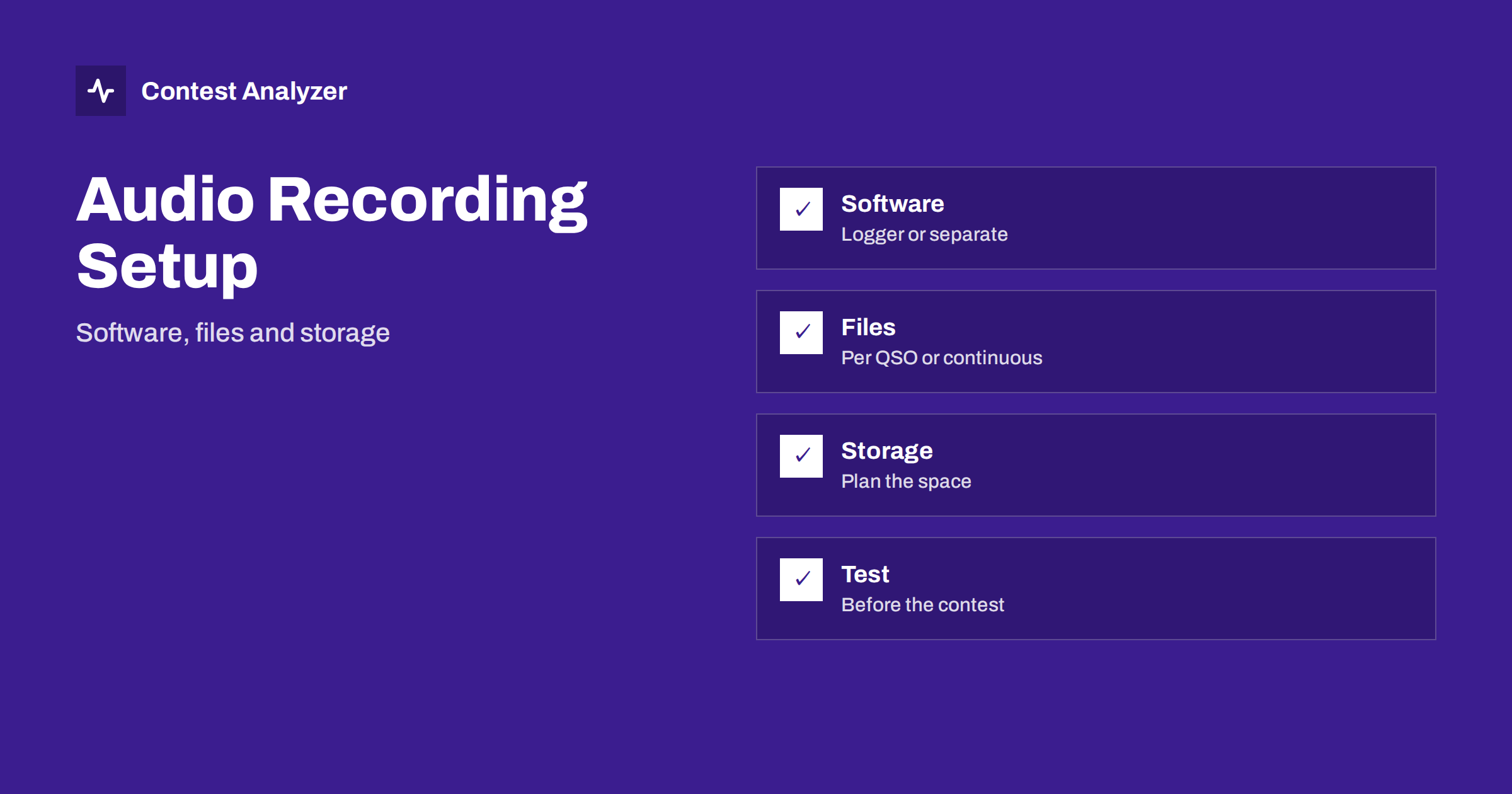
Short answer: A recording of the contest audio lets you listen again to a doubtful QSO after the contest. The setup has four decisions: which software records, whether it saves one file per QSO or one long file, where the files go and how much space they need. Make the choices a week before the contest, record for ten minutes as a test, and check that you can find a QSO by time.
Why record at all
During a contest you make hundreds or thousands of decisions in a few seconds each. Afterwards, some of them look wrong in the log: a callsign that appears only once, an exchange you do not remember, a zone that does not fit. Memory does not help much, but a recording does. With a recording you can listen to the QSO again and decide what was really sent. The article on recording audio in a contest to check doubtful QSOs explains the reason, and this article is about the practical side of the setup.
Check the current rules of the contest before you start. In most contests recording your own audio is allowed and often welcomed, and some contests ask for recordings in special cases. Also remember that the recordings are your own private material; think about who may listen to them before you share a file, and keep to the rules of privacy of your country.
Decision 1: what records the audio
There are three common ways. The first is the logging program: several of the loggers used by contesters, including N1MM Logger+, have a built-in function that records the audio from the sound card and links each QSO to a position in the recording. The second is a separate recording program that runs on the same computer and records the audio from the radio or from the mixer. The third is a hardware recorder or a radio with an internal recorder, which saves the audio to a card.
Each has its advantages. The logger function is the easiest to use, because the QSO is connected with the audio and you can play it with one click. A separate program is independent of the logger, so a logger problem does not stop the recording. A hardware recorder is independent of the computer and keeps working if the computer fails, but it needs more work to find a QSO after the contest. Choose the method that matches the way you work, and if the contest is important to you, consider two methods at the same time.
Decision 2: one file per QSO or a continuous recording
A continuous recording saves everything that arrives from the radio, in a single file or in files of a fixed length, such as one hour each. A recording per QSO saves a short file for each QSO, starting when the callsign is entered and ending when the QSO is logged. Both have advantages.
- Continuous recording contains everything, including the calls that you did not log and the moments before and after the QSO. This is useful for understanding why a QSO went wrong. The disadvantage is that you must find the right place by time, and the files are large.
- Recording per QSO is small and easy to find, because the file is connected with the QSO. The disadvantage is that it contains only what the software decided to record, and anything outside is lost.
Many operators use continuous recording in hourly files, because it is simple and because the time is in the file name. Then a QSO at 14:32 UTC is found in the hour file starting at 14:00 and at about 32 minutes into the file.
Decision 3: audio quality and format
For checking callsigns, the audio does not need a high quality. Speech and CW are narrow, so a mono recording with a moderate sample rate is enough, and compressed formats are often fine. The important thing is that the recording contains the audio as you heard it, with the same filter, or the raw audio without a filter, depending on your decision. Some operators prefer the raw audio, because it lets them apply another filter after the contest. Others prefer the filtered audio, because it is what they actually heard. Try both in the test. Avoid a format with a heavy compression that makes the speech unclear, as this would defeat the purpose.
Check also the level. A recording that is too quiet is hard to use, and one that is too loud may distort when a strong signal comes. A level that does not clip when a strong station calls is the target.
Decision 4: storage
A 48-hour contest recorded continuously creates a large amount of data. The size depends on the format and the quality, so calculate it before the contest. Record one minute with your settings, look at the file size, and multiply by the number of minutes in the contest. Add a margin. Make sure that the disk has space for all of it, and that the recording location is not the same as the system disk that the computer needs for running. A full disk in the second night is a bad surprise, and it may stop not only the recording but also the logger.
Name the folder with the contest and the year, and use file names that contain the date and the time in UTC. The article on protecting your contest log during the contest explains backups, and the recordings can be part of the same routine. After the contest, keep the recordings together with the original log and the corrected log for as long as you may need them.
It is also wise to keep the recording simple during the contest itself. Do not change the settings in the middle of the weekend, and do not open large files while the contest is running, because playing audio on the same computer can use the sound card and the processor that the logger needs. Leave the listening for the break or for after the contest. If you plan to share a recording with a friend or with the organisers, copy the file and work with the copy.
A ten-minute test
- Start the recording as you will in the contest, with the same radio, the same filter and the same computer.
- Make a few test QSOs or listen to real stations on the band, and log them in the test log.
- Stop the recording after ten minutes and look at the file: its name, its size and its time.
- Find a test QSO by its time, play it and check that you can hear both sides clearly.
- Check that the recording does not stop when you change the band or switch the radios, if you use two radios.
- Check that a second program that uses the sound card, such as a digital mode decoder, does not stop the recording.
If you use two radios, test the recording in the way that you will use it. The article on SO2R basics explains the logging side, and in this case the audio of both radios must be recorded in a way that you can separate afterwards, for example in two channels or two files.
Connect the recording with the log
The most important rule is that the clock of the recording and the clock of the log agree. If the logger has the function that links the QSO to the audio, this is done for you. If you record separately, the time in the file names comes from the computer clock, which is the same clock that gives the time of the QSOs in the log, and this is a good reason to keep the clock accurate. The article on UTC clock errors explains how a wrong clock can mislead you. At the start of the contest, say the time aloud into the recording, or note in a paper log the exact time at which the recording started.
Where Contest Analyzer fits in
Contest Analyzer does not work with audio. After the contest, you upload your Cabrillo, and it checks every callsign and every zone against official license databases and several independent reference sources and shows only the few QSOs worth a second look. These are the QSOs for which a recording is most useful: instead of listening to hundreds of QSOs, you listen to a handful. You can then edit the calls or zones in the report and download a corrected Cabrillo. The report also gives statistics such as rates, QSOs by hour and band, countries, continents, CQ and ITU zones and callsign structure. It works with Cabrillo from N1MM Logger+, DXLog and Win-Test, in 25 languages, for 22 contests listed on the contests page. Dupes are not errors and serial numbers are not checked.
Related reading
- Recording audio in a contest to check doubtful QSOs
- Protect your contest log: backups during the contest
- Your post-contest review routine
The bottom line
A good recording setup is a small project: choose the software, decide the file layout, plan the storage and test everything for ten minutes. Then a recording will be available when a doubtful QSO appears in your log, and you will be able to find it by its time.
FAQ
Is it allowed to record my own contest audio?
In most contests yes, but check the current rules and the privacy rules of your country.
How much disk space do I need?
Record one minute with your settings, multiply by the minutes of the contest and add a margin.
Should I record raw or filtered audio?
Both work. Raw audio can be filtered again later, and filtered audio is what you heard. Try both in the test.
Can I use the logger to record?
Several loggers have the function and link each QSO to the audio. Check your own program and test it.
Does Contest Analyzer need my recordings?
No. It works from your Cabrillo file and shows the QSOs worth a second look, which you can then check against your audio.