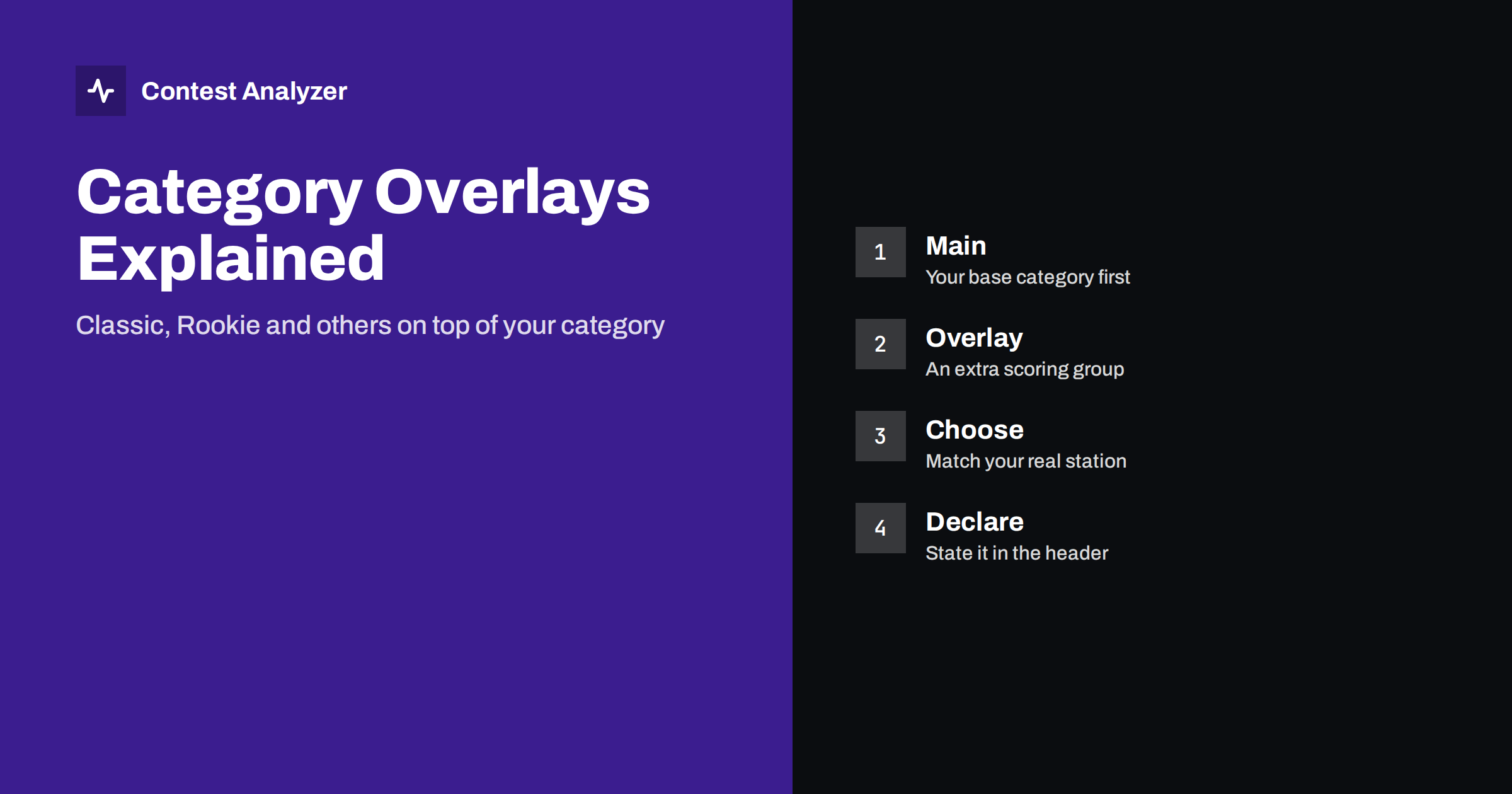
Short answer: An overlay is an extra competition group that sits on top of your normal category. You still enter as, say, single operator, one band or all bands, and in addition you may also be ranked in a smaller group such as Classic or Rookie. Overlays differ from contest to contest, and some contests have none, so read the current official rules and declare the overlay in your log only if you really qualify.
What an overlay is
Every contest sorts entrants into categories. The main categories describe how you operated: single operator or multi-operator, one band or all bands, the power level, and whether you used assistance. An overlay is different. It does not replace any of that. It is an additional label that puts your entry into a second, usually smaller, comparison group.
A good way to picture it is a competition within a competition. You send one log, it is scored once, and the same score appears in two places in the results: in your main category and in the overlay table. The overlay does not change the points. What it changes is whom you are measured against.
Sponsors introduce overlays for a simple reason: some groups of operators are not well served by the main categories. A beginner with a basic station may feel there is no point competing against a large antenna farm. A traditionalist may want a group where everyone works without the usual modern aids. Overlays give these operators a fair place in the results without multiplying the number of main categories.
Examples you may meet
The names below are examples only. Whether a given contest offers them, and exactly how they are defined, changes with the contest and sometimes from year to year.
- Classic. A group usually built around limited operating aids. In general terms it is meant for operators who want to compete without some of the assistance or equipment that others use. The exact limits are set in each contest’s rules.
- Rookie. A group for operators who are new to contesting or who were licensed recently. The qualifying conditions, for example how long you have held a license, are stated in the rules of the contest in question.
- TB-Wires. A group for entrants who use a tribander and wire antennas only, with no towers or large beams. The definition of what counts as allowed is part of the rules.
- Youth or age groups. Some contests have a group defined by the operator’s age, with the age limit written in the rules.
If you are looking for a contest that offers one of these, the sponsor’s rules page is the only reliable source. Names on forums or in older articles are not enough, because a group that existed last year may have been renamed or removed.
Overlay versus category: what changes and what does not
Because the two ideas are easily mixed up, it is worth separating them.
- Your category says what you did: operators, bands, power, mode, assistance. It decides your main table and often the time you may operate.
- Your overlay says in which extra table you also wish to be listed. It rarely changes the rules of operating that already apply to your category, but it may add its own conditions on top of them.
Be careful with that last point. An overlay can be stricter than your base category. A Classic entry, for example, is typically a single-operator entry first, and the overlay adds its own conditions on equipment or assistance. If you break one of those conditions during the contest, the problem is not that you lose points. The problem is that your entry no longer belongs in the group it claims, and a committee may move it. For the wider topic of how categories are defined, see our article on assisted versus unassisted categories.
How to choose
Start with honesty about your station and your plan for the weekend. Then go through these questions in order.
- Which main category fits what I will actually do? Decide this first. The overlay is an extra, not a way to choose your category.
- Do I meet the written conditions of the overlay? Read the exact definition in the current rules. If a condition is vague, ask the contest committee before the event and keep the answer.
- Will I really operate within those conditions for the whole contest? A single hour outside the conditions can be enough to disqualify the overlay claim. If you are tempted to switch tools in the middle of the contest, you have your answer.
- Do I want that comparison? A Rookie entry is useful because it shows your progress against people at a similar stage. A Classic entry is useful if you enjoy operating with fewer aids. If neither describes you, skip overlays and enter the main category only.
Many operators find that the overlay helps motivation. A new contester who finishes tenth among rookies feels more of a gain than one who is near the bottom of a very large table. That is a legitimate reason to enter, as long as you qualify.
Where the overlay goes in your Cabrillo file
Cabrillo 3.0 provides a header line for the overlay, called CATEGORY-OVERLAY. The accepted values are defined by the Cabrillo specification and by what the sponsor’s log robot understands. Many logging programs fill the line from a drop-down list in the contest setup, so check how yours does it. The Cabrillo header guide describes the other category fields next to it.
A few practical points:
- Look at the header after export. If you chose an overlay in the logger but the line is missing, the logger may not support it for that contest, or you may have picked it in a different place from where the export reads it.
- If the sponsor asks you to state the overlay in a form, in the e-mail or in a soapbox comment instead of the header, follow that instruction. Some contests collect the information separately.
- Do not invent values. If the list in your logger does not offer the group the sponsor describes, check the sponsor’s instructions for what to write, and the specification at wwrof.org/cabrillo.
Mistakes that cost an overlay entry
- Claiming an overlay without reading the conditions. Names such as Classic sound self-explanatory, but the definition decides, not the name.
- Using a prohibited aid for a short time. Even a brief moment outside the conditions can invalidate the claim, because the rule is about the whole entry.
- Wrong or missing header line. The robot may place you in the main category only, and you will not appear in the overlay table.
- Using last year’s conditions. Age limits, equipment definitions and eligibility dates can change.
- Mixing up the overlay with the category. Entering an overlay value in a category field can cause the whole entry to be rejected or reclassified.
Most of these are caught by reading the rules once, carefully, a week before the contest, and then looking at the exported header with the same care.
Checking the log with the overlay in mind
An overlay does not make the log easier to score, but it does raise the importance of a clean log, because your comparison group is smaller and every lost QSO matters more. A beginner who loses a dozen QSOs to busted calls is exactly the person who is competing for a few places. Read our guide on busted callsigns if you want to cut them down.
Contest Analyzer gives you a view of the whole log before you submit. It checks every callsign and every zone against official license databases and several independent reference sources and shows only the few QSOs worth a second look, which you can edit in the report before you download a corrected Cabrillo. It also reports full statistics, including rates, QSOs by hour and band, countries and zones and your breaks, and it supports year-on-year comparison with your own logs, a good way to follow progress as a rookie. See the 22 contests it covers.
Questions to put to the sponsor
If the written definition leaves a gap, ask before the contest, not after. Contest committees publish a contact address in the rules, and a short, specific question usually gets a short answer. Good questions are concrete: whether a particular piece of software counts as an aid under the overlay, whether an antenna you already own fits the definition, or whether you may enter an overlay if you share the station with a family member. Keep the reply together with your contest notes. If your entry is ever questioned, an answer from the sponsor is far better evidence than your own reading of the text.
It is also reasonable to ask when the overlay results will be published and whether they appear as a separate table. Some sponsors list overlays only in the detailed results, and knowing this helps you decide whether the extra effort is worth it for you.
Related reading
The bottom line
An overlay is an extra place in the results, not a shortcut. Choose your main category first, read the exact conditions of the overlay in the current rules, and only claim it if you will meet them from the first QSO to the last. Declare it the way the sponsor asks, check the exported header, and then let your clean log do the work.
FAQ
Can I enter more than one overlay?
That depends on the contest. Some allow one overlay per entry, others have several that can be combined. Read the current rules or ask the committee.
Does an overlay change my score?
No. Your score is calculated in the usual way. The overlay only adds a second table in which the same score is compared with other entrants.
Is Classic the same in every contest?
Not necessarily. The name may be shared, but the conditions are set by each sponsor and may change between years. Always check the current rules.
What if I break an overlay condition by accident?
The committee can decide to move your entry to the main category. If you realise it before submitting, declare the entry as you actually operated.
Where do I put the overlay in the log?
In Cabrillo 3.0 there is a header line named CATEGORY-OVERLAY. Some sponsors ask for the information in other ways, so follow their instructions.