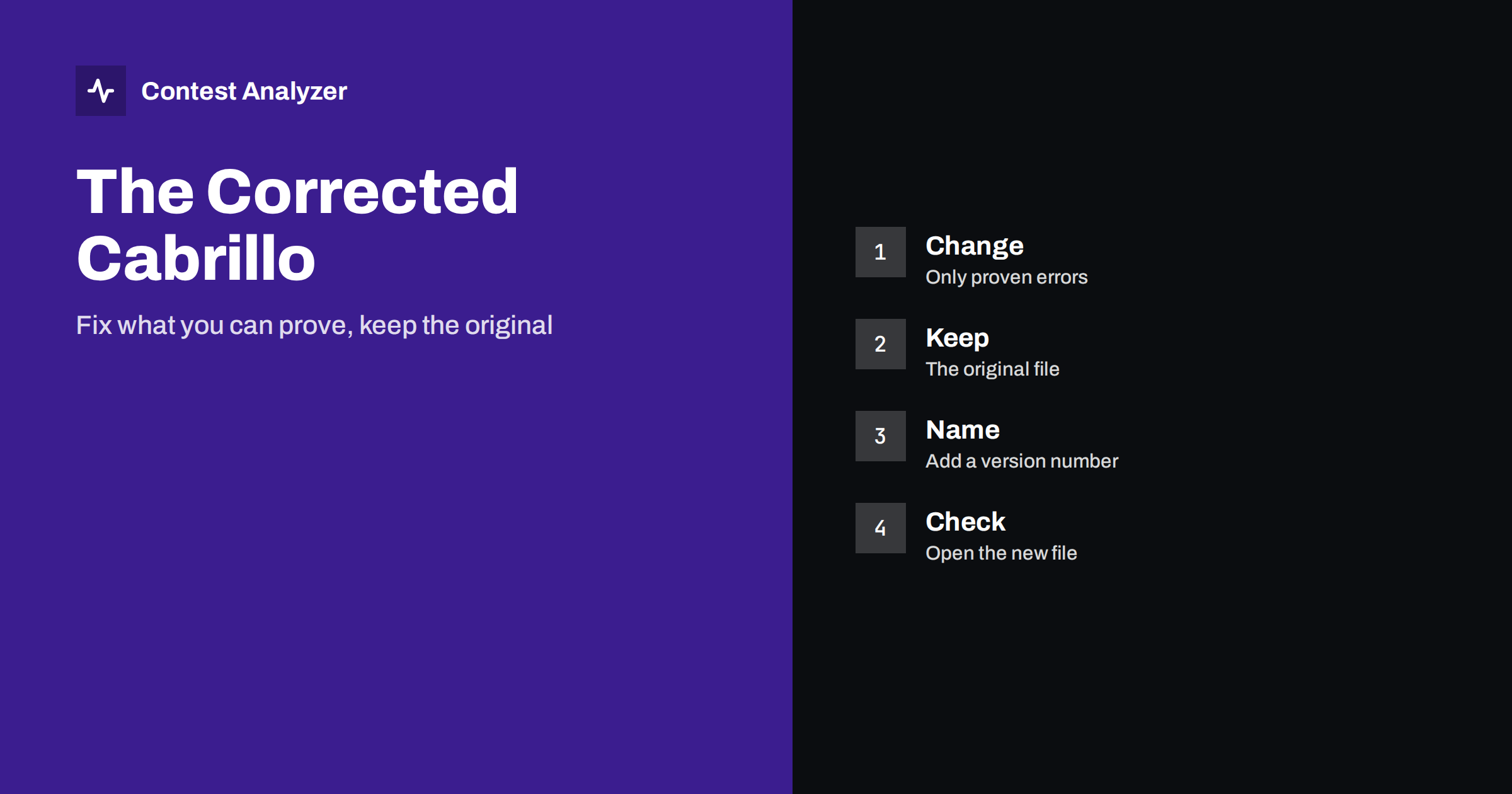
Short answer: A corrected Cabrillo is the version of your log in which clear mistakes have been repaired before you submit it. You may fix errors that you can prove, such as a callsign confirmed by your recording or a clock offset that you can measure. You must never invent QSOs, change an exchange from memory or alter the real time of a contact to improve the score. Keep the original file unchanged, give the corrected one a new name and check it again before you send it.
What the original file is for
The file that your logger produced right after the contest is a record of what your station logged. It is the starting point for every later question, from your own review to a request from the contest committee. If you overwrite it with a corrected version, you lose the ability to show what changed. For this reason the first rule is simple: copy the original to a safe place before you touch anything, and never edit that copy.
The article on keeping copies of your contest log describes a folder system that works well. A folder for each contest with the original file, the corrected file, the audio and your notes is enough.
What you may correct
You may correct an entry when you have evidence that the logged value was wrong and that the corrected value is true. Typical cases are:
- A callsign that was copied wrongly, where your recording clearly shows the right call.
- A callsign that is incomplete, when the recording contains the full call. If it does not, the QSO should be removed.
- A zone or an exchange that was typed wrongly, when the recording or the other station’s sent value is clear.
- A time offset for the whole log, when the computer clock was wrong by a known amount, for example because of a time zone setting, and you can show it.
- A frequency or band that the logger recorded wrongly, for example because of a data connection that did not update, when your notes or the recording confirm the band.
- A duplicated line, where the same QSO was exported twice.
In each case the question to ask is: could I show this evidence to a contest committee? If the answer is no, do not change the entry.
What you must never change
- You must not add QSOs that you did not make, or QSOs for which you have no record.
- You must not change the time of a QSO to bring it inside the contest period, unless a measured clock error proves the true time.
- You must not change a band or frequency to move a QSO inside the band limits. The value must be the true frequency of your transmitter.
- You must not change the category or the header to a more favourable one than the one in which you operated.
- You must not guess. A guess that happens to be right is still not evidence.
The purpose of a corrected file is to represent your real contest more exactly, not to improve it. The same principle is behind the article on claimed and final score: the difference between them should come from honest errors that are found, not from adjustments.
A safe routine step by step
- Export the Cabrillo from the logger and save it as the original, for example with the word “original” in the name.
- Collect your evidence: the audio, your notes and the list of doubtful QSOs.
- Correct the QSOs in the logger, or in a tool that lets you edit the QSOs, and keep a list of what you changed.
- Remove the QSOs that you cannot complete or prove, and list them as well.
- Export a new Cabrillo and give it a different name, for example with the word “corrected” or a number.
- Open the new file as plain text and check the header, the first lines, the last lines and the number of QSOs.
- Submit the corrected file by the method that the sponsor accepts and keep a copy of the confirmation.
The list of changes does not need to be long. It is your own record, and it helps you if somebody asks why a call in the log differs from the call that you wrote in your notes.
Header and score after the corrections
If you remove or fix QSOs, your claimed score changes. Recalculate it from the corrected log, or let the logger do it, and check that the header shows the new value. Also check the other header fields, which do not change with the corrections but are needed for the file to be accepted. The article on the Cabrillo header lists the fields and their typical mistakes.
A small change in the number of QSOs can change the claimed score by more than you expect, especially when a removed QSO was the only one with a given multiplier. This is normal. A corrected score that is lower than the first value is a sign that you checked the log honestly.
Common mistakes when correcting a log
The first mistake is to correct too much. After a contest it is tempting to use a list of calls from another source and replace every call that differs from your log. This is dangerous, because the other source may be wrong and your copy may have been right. A correction is a decision about one QSO, based on evidence for that QSO, and it should not be done in bulk by comparing lists.
The second mistake is to forget the side effects. A corrected call can change the country, the zone or the prefix that is credited to the QSO, and with it the multiplier count. A corrected time can change the hour in which the QSO is counted and the rate in your statistics. After a series of corrections, look at your statistics again to see whether the picture still makes sense.
The third mistake is to work in a hurry. The last hours before the deadline are the worst time to edit a log, because every tired edit is a chance for a new error. If your contest has a long deadline, use it, and do the corrections over two evenings instead of one. If the deadline is short, as in contests with a deadline of a few days or less, plan the review during the contest weekend itself and write notes about doubtful QSOs while you operate.
How to check the new file
A corrected file can contain new errors, because every edit is a chance to make a typing mistake. After you export, check at least these points: that every line has the same structure as before, that the corrected calls look like real calls, that no QSO lies outside the contest period and that the file opens without error in a text editor. Compare the first and last QSO times with your memory of the contest. If your logger can import the Cabrillo file, you can import it into an empty log as a test.
The checklist in checking your log before you submit covers the remaining steps.
Explaining your corrections
If a contest committee ever asks about a difference between your log and the logs of other stations, a short, clear explanation is the best answer. Keep a plain text file next to the corrected Cabrillo, with the list of changed QSOs, the reason for each change and the evidence that you used, for example the time in the recording. Three lines per QSO are enough. You may never need this file, but the habit of writing it forces you to ask honestly whether every change is justified.
It also protects you from your own memory. A year later you will not remember why a certain call was changed, and the file will answer the question in a moment. If you take part in club competitions, the same record helps your club to see that the logs were handled in a fair and open way.
Where Contest Analyzer fits in
Contest Analyzer is built for this stage. It checks every callsign and every zone against official license databases and several independent reference sources and shows only the few QSOs worth a second look. In the report you can edit calls, zones, time and frequency, mark QSOs as checked in your own audio recording, duplicate a QSO line and download a corrected Cabrillo. It also marks QSOs outside the contest period and outside the band limits for your ITU region, and split QSOs are shown as a note. Serial numbers are not checked, and dupes are not errors. See pricing for the plans.
Related reading
- Keeping copies of your contest log
- Check your contest log before you submit
- Using audio to fix log errors
The bottom line
A corrected Cabrillo is an honest repair of proven mistakes, not an improvement of the result. Keep the original, change only what you can prove, name the new file clearly and check it before you send it.
FAQ
Can I correct a callsign from memory?
No. Correct it only when your recording or another clear record shows the right call.
Should I delete the original Cabrillo file after correcting?
No. Keep it unchanged as the record of what the logger produced.
Is it acceptable to change the time to fit the contest period?
Only if you can prove a clock error with a known offset. Otherwise leave it and consider removing the QSO.
Do I need to recalculate the claimed score?
Yes, after you remove or fix QSOs, update the claimed score in the header.
How many files should I submit?
Usually one corrected file. Read the rules about resubmission before you send a second one.