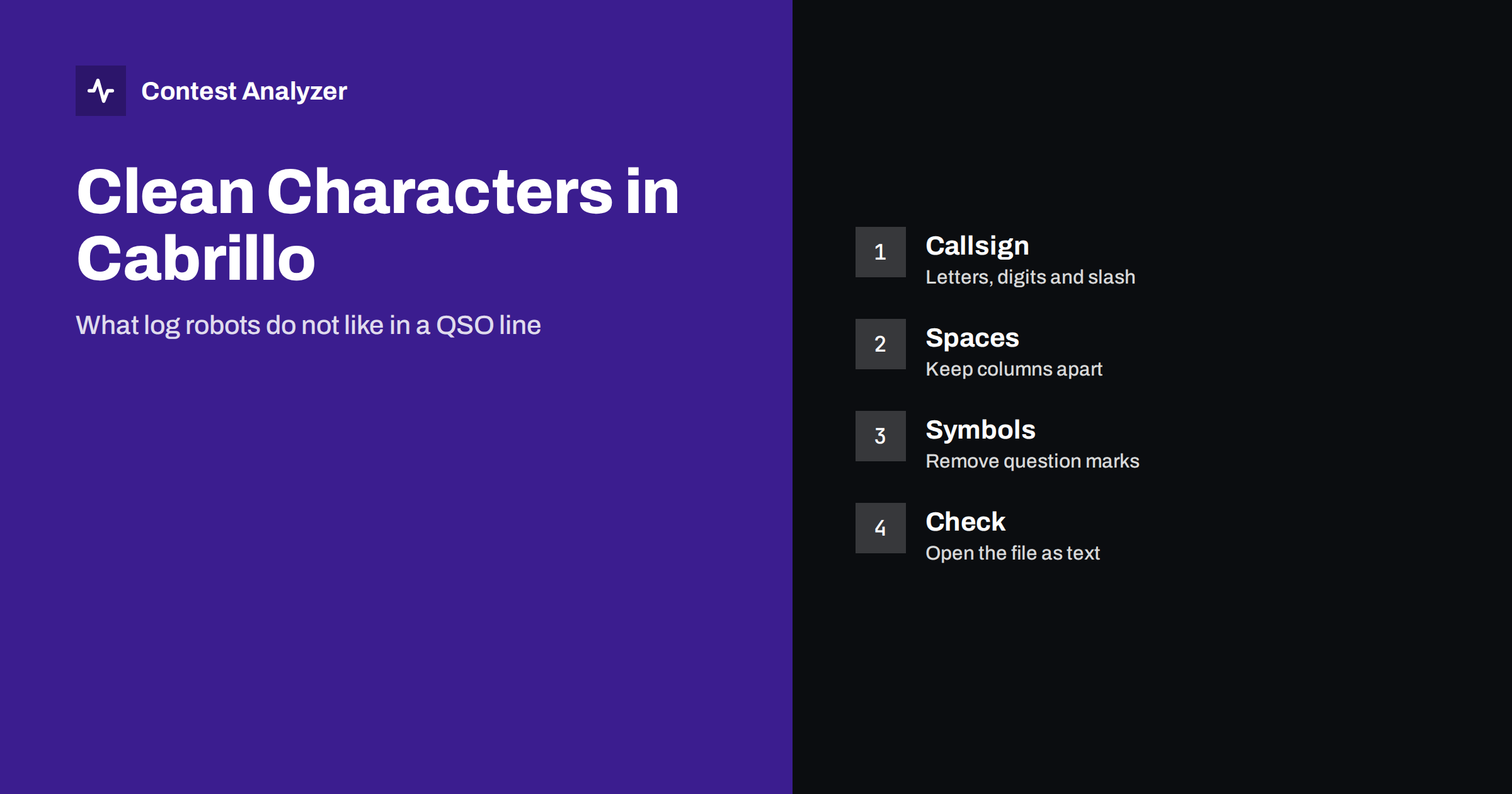
Short answer: A Cabrillo QSO line is a row of fields separated by spaces, and each field is expected to contain only the characters that belong to it. A question mark in a callsign, a dash, a space inside a field or a symbol pasted from another program can shift the columns or make the line unreadable for a log robot. The result may be a rejected line, a QSO that is counted as an error, or a rejected file. Open the file as plain text before you send it and clean the doubtful lines.
What a QSO line looks like
A Cabrillo file begins with header lines such as the callsign, the contest name and the category, and continues with one QSO line for each contact. A line starts with the word QSO, followed by the frequency, the mode, the date, the time and then your callsign, your exchange, the callsign of the other station and its exchange. The fields are separated by one or more spaces, and the program that reads the file counts the fields from left to right. This is why a single extra space or a missing field can move everything after it into the wrong column.
The article on the Cabrillo QSO line describes each column. Here the focus is on what must not appear in them.
The question mark
The question mark is the most common intruder. Many loggers allow you to type a question mark in the callsign field to mark a call that you did not copy completely, for example “K2?” or “DL1A?”. This is a convenient note during the contest, but it is not part of a callsign. If the file is exported with the mark, the robot receives a call that cannot exist. Depending on the contest, the QSO may be counted as not matched, removed or even penalised.
The rule is easy. Before you export, search your log for the question mark and resolve each case. Either complete the call from your notes or your recording, or delete the QSO. The article on partial copies describes how to decide.
Spaces inside a field
A space is the separator between fields, so it cannot be used inside one. A callsign typed as “DL1 ABC” is read as two fields. The call becomes “DL1”, and “ABC” is taken as the first part of the exchange. Everything after that is shifted, and the line may fail to match the expected pattern. The same happens with exchanges that contain a space, for example a name or a province that was typed with a space between two words.
Some loggers remove such spaces automatically when they export, and some do not. Do not assume that yours does. Look at a few lines of the file where the exchange is not a simple number. If you see a space in the middle of an exchange, go back to the logger and correct the entry there, instead of editing only the exported file.
Dashes, underscores and punctuation
Dashes appear in two places. The first is the header, where the contest names and categories use a fixed set of words with dashes, such as the category fields. These are part of the format and must stay as they are. The second is in a QSO line, where a dash may come from an exchange that was copied from a document or a message, for example a serial number with a dash or a grid locator with a separator. Contest rules define what the exchange may look like, and a robot usually expects only letters and digits.
The same applies to commas, semicolons, brackets and quotation marks. They are rare in a normal log, but they appear when notes are typed into the exchange field. If your logger has a separate field for notes, use it. If it does not, keep notes out of the fields that are exported.
Slash, plus and other characters that are allowed
It helps to know what is normal. A callsign can contain letters, digits and the slash, for example in portable calls. An exchange is usually made of digits, letters or both. A serial number is a number, and a CQ zone is a number of two digits in most cases. The format does not need any other symbols, so any other character is a reason to look more closely. When you are not sure whether a character is allowed, check the current rules of the contest and the description of the format. The page of the format at wwrof.org/cabrillo is the usual reference.
Characters you cannot see
Some problems are invisible. A text copied from a web page or from a word processor may contain a non-breaking space, a tab or a character from a different alphabet that looks like a Latin letter. A Cyrillic “A” and a Latin “A” look the same on the screen, but they are different characters. A file that is saved in an unusual encoding can also contain extra bytes at the beginning. The article on Cabrillo encoding and line endings explains these cases.
The practical advice is to avoid copying data from other programs into the logger, to type the calls and exchanges directly, and to save the Cabrillo file with the export function of the logger rather than with a general text editor.
Why the problem grows during a busy contest
Most of these characters do not come from a lack of knowledge. They come from speed. In a pileup you type a part of a call, you add a question mark to remind yourself, and the next caller is already waiting. At the end of the contest the log is long, and the reminders are buried between thousands of lines. A tired operator who exports the file at the last moment has no energy left to search for them. This is the reason why the clean-up should be planned as a step of its own and not left for the final minutes before the deadline.
A second source is the copying of exchanges from outside the logger. If you work a contest with a changing exchange and you paste a list of values into a call history or a template, the list may bring extra spaces or hidden symbols with it. The article on call history files explains why such files should be checked before the contest and not trusted blindly.
A good habit is to run the check twice. The first time is during the contest, at a quiet moment, when you search for the question mark and fix the calls that are still fresh in your memory. The second is after the contest, with the audio recording, before you create the file that you send. Two short checks are better than one long one, and the first one makes the second much easier.
How to check the file before sending
- Export the Cabrillo from your logger and keep the original untouched.
- Open the file in a plain text editor and look at the first lines, the header, for anything unusual.
- Search for the question mark, the tab character and double spaces inside lines.
- Scroll through a few dozen QSO lines and check that the columns look aligned and that every line has the same number of fields.
- Compare the number of QSO lines with the number of QSOs in your logger.
- If you change anything, make the change in the logger when possible and export again.
This takes only a few minutes, and it avoids a long e-mail exchange with the contest committee. The article on checking your log before you submit puts this step into a complete checklist.
What the checker in Contest Analyzer shows
After the file is clean you still need to know whether the content is right. Contest Analyzer checks every callsign and every zone against official license databases and several independent reference sources and shows only the few QSOs worth a second look. It also marks QSOs outside the contest period and outside the band limits for your ITU region, and split QSOs are shown as a note. You can edit calls, zones, time and frequency in the report, duplicate a QSO line when it is needed and download a corrected Cabrillo. It works with Cabrillo from N1MM Logger+, DXLog and Win-Test. Serial numbers are not checked, and dupes are not errors. See the FAQ for more information.
Related reading
The bottom line
A Cabrillo line has a strict shape, and any character that does not belong to a field can break it. Remove question marks and stray symbols, keep spaces only between fields and look at the file as plain text before you send it.
FAQ
Can I leave a question mark in a callsign in my log?
No. It is not part of a callsign, so complete the call from your notes or recording or delete the QSO before export.
Why does a space inside a field cause trouble?
Spaces separate fields, so a space inside one moves the following fields into the wrong columns.
Are dashes allowed in the Cabrillo header?
Yes, where the format uses them in fixed category words. Do not add dashes in QSO fields unless the contest exchange requires them.
Should I edit the exported file or the logger?
When possible fix the entry in the logger and export again, so that the log and the file agree.
How can I see hidden characters?
Open the file in a plain text editor that can show whitespace, and avoid pasting text from other programs.