Short answer: The Contest Analyzer home page states that team and club members can add their logs to the same contest, and the plans include a main log and extra logs. For a club, that means each member checks their own log for their own verified callsign, and the club gathers the results afterwards. Agree on the contest, the file naming and the deadline early, let each member upload and review, and compare the statistics in a short meeting.
What the site says about teams and clubs
In the “How it works” part of the home page, the first step reads: pick the contest and year and upload your Cabrillo log, and team and club members can add their logs to the same contest. The pricing page lists “Main log + extra logs” in every plan. The FAQ adds an important condition: a log can be checked only for a callsign in your account that is verified, so accounts are not shared. It also says that your log and your callsign are never shown to other users.
Put together, these facts give a clear picture. Each operator has an account and a verified callsign. Each log is checked for the callsign it belongs to. A team or club works on the same contest in parallel, but the logs stay private to their owners. The site does not describe more than this, and a club should not assume features beyond it. If you have questions about how a particular setup works, write through the contacts page.
Why clubs check logs together
A club contest is a social event and a learning exercise. When all members check their logs after the weekend, the club can compare not only scores but also habits: who had the fewest doubtful QSOs, who kept the best rate at night, who ran and who searched. Such comparisons are more useful than a single result table, because they show what to practise. The article on club names in Cabrillo and club competitions covers the organiser’s side of club scoring.
A shared routine also lifts the weakest logs. A newcomer who sees a short list of QSOs worth a second look in his own report and then hears how an experienced member handled similar cases learns faster than from any manual. And a group deadline makes it more likely that everyone actually submits.
Before the contest: agree on the basics
Choose the contest and write down the log deadline from the contests page, then check the current official rules for anything specific to club or team entries. Agree on the exact club name to use in the Cabrillo header if the contest has a club category, because a spelling that differs between members can split the results. Agree on a simple file name pattern, for example callsign, contest and year, so that nobody mixes up files.
Make sure every member has an account and has verified their callsign before the weekend, not on the deadline evening. The verification is a condition for checking a log, as the FAQ explains. Pick one person as a coordinator who sends reminders and keeps a list of who has uploaded. The coordinator does not see the logs of others; the list is simply a tick box of who is done.
During the weekend: keep logs clean
A club check begins at the station. Remind members to back up their logs, to keep the computer clock correct and to avoid editing the Cabrillo file by hand. If the club operates a multi-operator station with several computers, the logs need to be merged before checking. The articles on merging logs from several computers and common errors when merging multi-op logs describe typical problems, such as duplicate lines and unsynchronised clocks.
For members who operate from home, the advice is the same as for any contest: make a note of doubtful QSOs, record audio if possible and keep the logger settings stable. The time spent in preparation reduces the time needed in the check.
After the weekend: upload and review
When the contest ends, each member exports the Cabrillo file and uploads it to the chosen contest. Checking runs in the background, and progress is shown live in My logs, so the member can continue with other tasks. When the report is ready, the member reviews the short list of QSOs worth a second look, edits what is wrong and downloads a corrected Cabrillo file. The report offers full statistics: rates, QSOs by hour and band, countries, continents, CQ and ITU zones, WPX prefixes, distance, beam heading, breaks and off time, and callsign length and structure.
The check itself covers every callsign and every zone against official license databases and several independent reference sources, and it shows only the probable errors. Dupes are not errors, and serial numbers are not checked. A club can agree on a simple order of work: first fix the strongest suggestions, then the rest, then submit. The checklist for checking a log before submitting fits well as a club handout.
A short club meeting with the numbers
Within a few days of the contest, hold a short meeting, online or in person. Each member brings three numbers from their own report: the best hour, the weakest hour and the number of QSOs that were worth a second look. Nobody needs to show a log; the numbers are enough. The group then talks about causes and cures: was it conditions, station or habits? Which band was the best for the club? Where would a second operator or a second radio have helped?
Write the outcome in a shared document. Next year, the same document is the starting point for preparation, and it shows whether the club is improving. The method is described for individuals in a post-contest review routine, and it scales well to a group. A club that keeps notes year after year builds a memory that does not depend on any single person.
Typical problems in a club check
A few problems repeat in club checks. The first is a member who uploads the log of the wrong contest or the wrong mode, for example a CW file for an SSB weekend; the contest list shows the modes clearly, and a short reminder to choose the right entry avoids the mistake. The second is a member who edits the Cabrillo file by hand and breaks the format. The FAQ says that different spacing, an extra TX column and ISO-8859 files are handled, but a hand-edited file can still contain mistakes that no program expects, so it is better to correct the log in the logger or in the report.
The third problem is waiting too long. In a club of twenty members, the last three are always the busiest people, and the deadline arrives faster than they think. A friendly reminder on the first day after the contest and another halfway to the deadline works better than a single message at the end. The fourth is the wish to compare scores before the logs are checked. A claimed score is only a claim, and a club table built on claimed scores may look different after the checks. Wait until the corrected logs are ready before you publish any ranking, even a friendly one.
Finally, remember that not every member wants to take part in a competition. Some operate for pleasure, some for training and some only for a few hours. A club routine that welcomes all of them, and asks only for a clean log and a few numbers, will keep more people active than one that measures everyone against the best score.
Privacy and fairness in a club
Because logs are private to the account that holds them, members decide for themselves what to share. A club should respect that. Share numbers and lessons freely, but ask before showing anyone’s full report. A culture in which members can discuss errors without embarrassment is worth more than a perfect scoreboard.
It is also fair to remember that every operator is responsible for his or her own log and callsign. The service checks a log only for a verified callsign in the account, and a club coordinator cannot check logs for others. That is a safeguard for everybody, and it keeps accounts personal. If a member needs help, he or she can share the screen in a meeting and decide how much to show.
Plans for a club
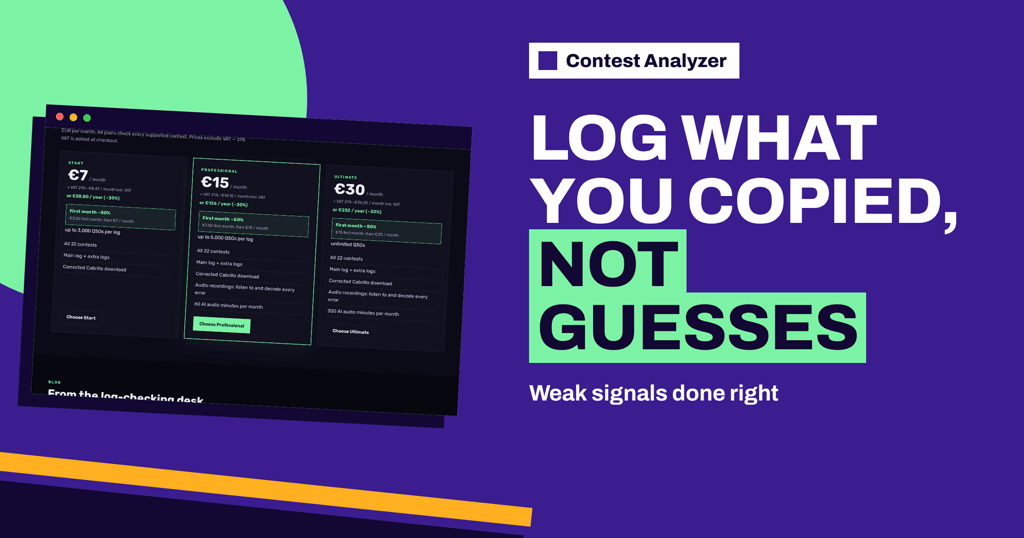
Each member chooses a plan that suits the size of his or her log. The pricing page shows that the plans differ in how many QSOs a log can have and in audio recording features, and that every plan checks all 22 supported contests. The page also states that a QSO is every QSO line in your Cabrillo log, including dupes. A club can use that information to give members simple advice: look at your typical log size in last year’s logger and pick accordingly.
Related reading
- Rate Sheet by Operator in Multi-Op Stations
- Comparing Two Operators at the Same Station
- Helping a Friend Check a Contest Log
The bottom line
For clubs and teams, the useful sequence is simple: agree on contest and deadline, verify callsigns early, let each member upload and review their own log, and meet briefly to compare numbers. The logs stay private, the lessons are shared and the next contest starts from better notes.
FAQ
Can club members add logs to the same contest?
Yes. The home page says that team and club members can add their logs to the same contest.
Can one account check logs for other callsigns?
No. A log can be checked only for a verified callsign in your account, so accounts are not shared.
Are logs visible to other members?
No. Your log and your callsign are never shown to other users.
Do all members need the same plan?
No. Plans differ by log size and audio features, and each member can choose his or her own.
How long does a check take?
Checking runs in the background, with progress shown live in My logs, and the report appears as soon as it is ready.